UI theme presets
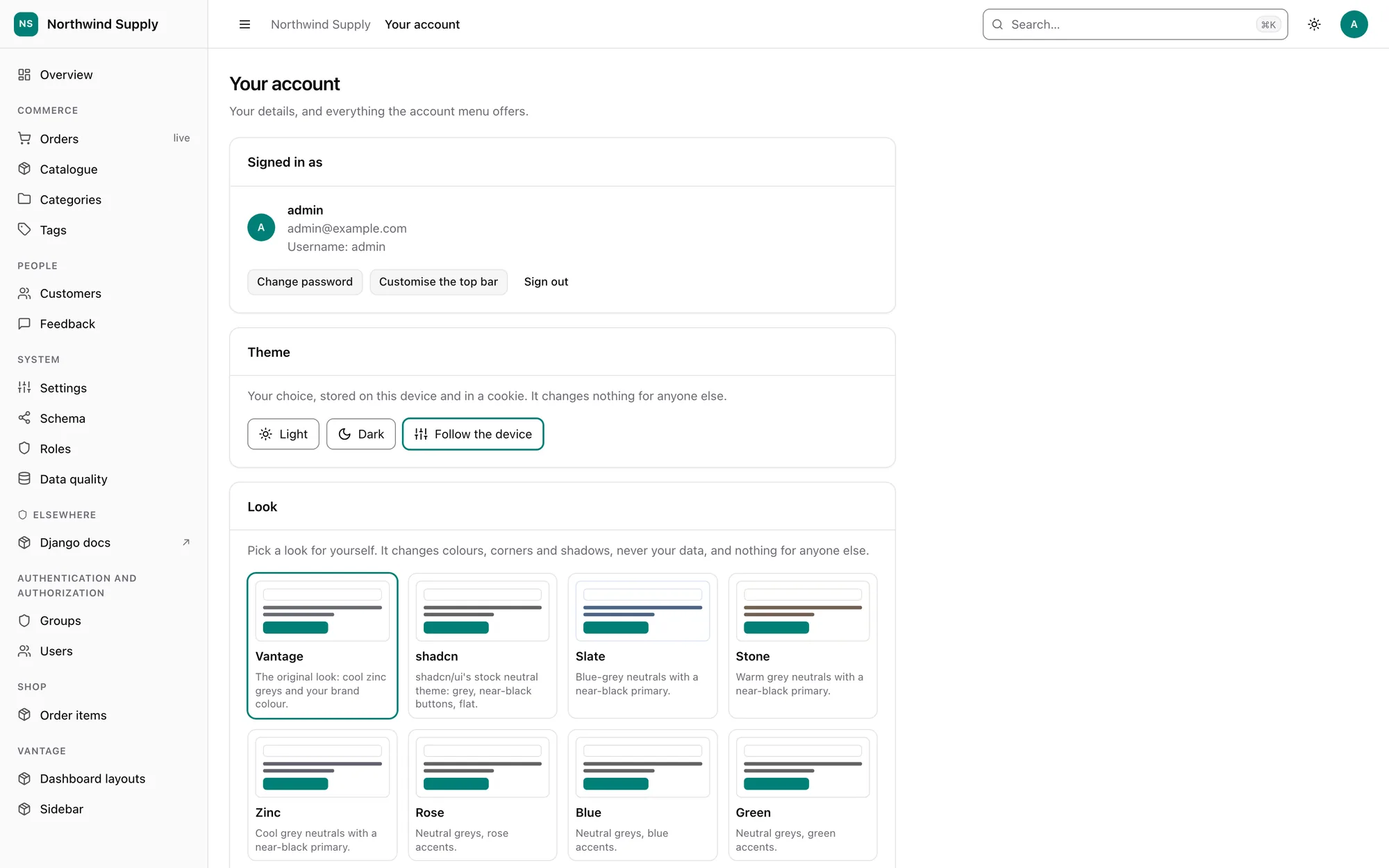
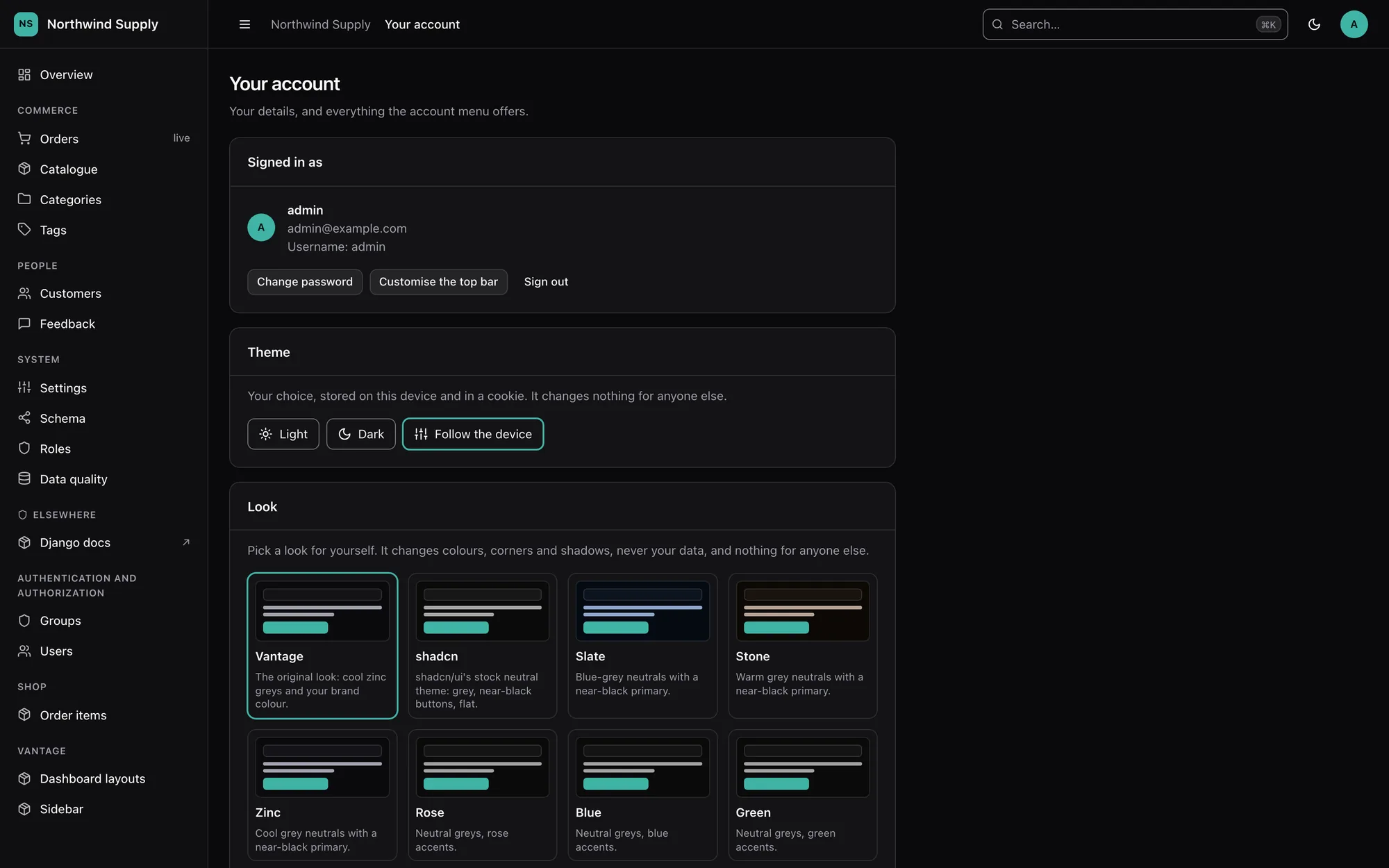
THEME decides light or dark. A UI theme decides the look: the greys, the corners,
the shadows. Vantage ships ten, in the spirit of shadcn/ui's themes, and the default is
the look it has always had.
| Preset | Neutrals | Primary | Corners |
|---|---|---|---|
vantage |
cool zinc | your BRAND_COLOR |
0.5rem |
shadcn |
achromatic | near-black (near-white in dark) | 0.625rem, flat shadows |
slate, stone, zinc |
blue-grey, warm grey, cool grey | near-black / near-white | 0.625rem |
rose, blue, green, violet, orange |
achromatic | the accent hue | 0.625rem |
vantage is byte-identical to the stylesheet earlier releases emitted; a regression test
holds it there.
Your brand colour still wins
A preset's primary is a default. If you set BRAND_COLOR (in VANTAGE or on the
settings screen) every preset derives its buttons, links and focus rings from it, and
only the neutrals, radius and shadows change. The same goes for an explicit
BRAND_RADIUS. "Set" means set: choosing #6366f1 on purpose still counts.
Letting people choose
With it on, Your account shows a card per preset. Clicking one repaints the page at
once (the preset's tokens are fetched from _/ui-theme/<name>.css and swapped in) and
stores the choice in a cookie, which the server reads, so the next page arrives already
in that look. There is no flash because there is nothing for a script to correct. Set it
to False to pin everyone to UI_THEME; the site default can also be changed from the
settings screen.
Only the active preset's tokens are in a page, so choosing a preset costs nothing extra.
Your own presets
VANTAGE = {
    "UI_THEME": "paper",
    "UI_THEMES": {
        "paper": {
            "label": "Paper",
            "light": {"background": "oklch(0.98 0.012 90)", "border": "oklch(0.88 0.02 90)"},
            "dark": {"background": "oklch(0.2 0.01 60)"},
            "primary": "#0d9488",          # used only while BRAND_COLOR is unset
            "radius": "0.25rem",
            "shadows": {"sm": "none", "md": "none", "lg": "0 2px 8px oklch(0 0 0 / 0.15)"},
            "border_width": "1px",
            "font": "Georgia, serif",
            "extras": {"sidebar-width": "17rem"},
        }
    },
}
Everything is optional; what you leave out is inherited from vantage. Keys are
checked when settings load, with a did-you-mean ("raduis" suggests "radius"; so does a
misspelt token). A custom name that matches a built-in replaces it.
| Key | Meaning |
|---|---|
light, dark |
Neutral tokens: background, foreground, card, muted, muted-foreground, border, input, sidebar, destructive, success, warning, ... |
primary |
Hex colour the brand tokens are derived from, when BRAND_COLOR is unset |
light_brand, dark_brand |
Brand tokens set outright (primary, primary-foreground, primary-hover, ring, accent, accent-foreground) instead of derived |
radius |
--radius |
shadows |
sm, md, lg box-shadow values |
border_width |
Width of card and panel borders |
font |
--font-sans |
extras |
Any other custom property, without the leading -- |
Keep it legible
Presets are tested, light and dark, for the pairs a reader depends on: text on its
surface (4.5:1), muted text on the page, cards and muted fills, button text on the
primary, and the form-field border against every surface (3:1). Run the same checks on
your own preset with vantage.theme.build_tokens(preset="paper", dark=True) and
vantage.color.contrast_ratio; see tests/test_presets.py.
The standalone 500 page copies the vantage neutrals on purpose (it must render when
nothing else can) and does not follow presets.