Roles & permissions
Vantage ships a built-in screen for Django's auth.Group, treated as what every project
uses it for: a role, a named bundle of permissions you grant to people. It lives at
<panel>/_/roles/, appears under System in the sidebar and in the ⌘K palette, and
needs no configuration, no model and no migration — it works on the tables
django.contrib.auth already has.
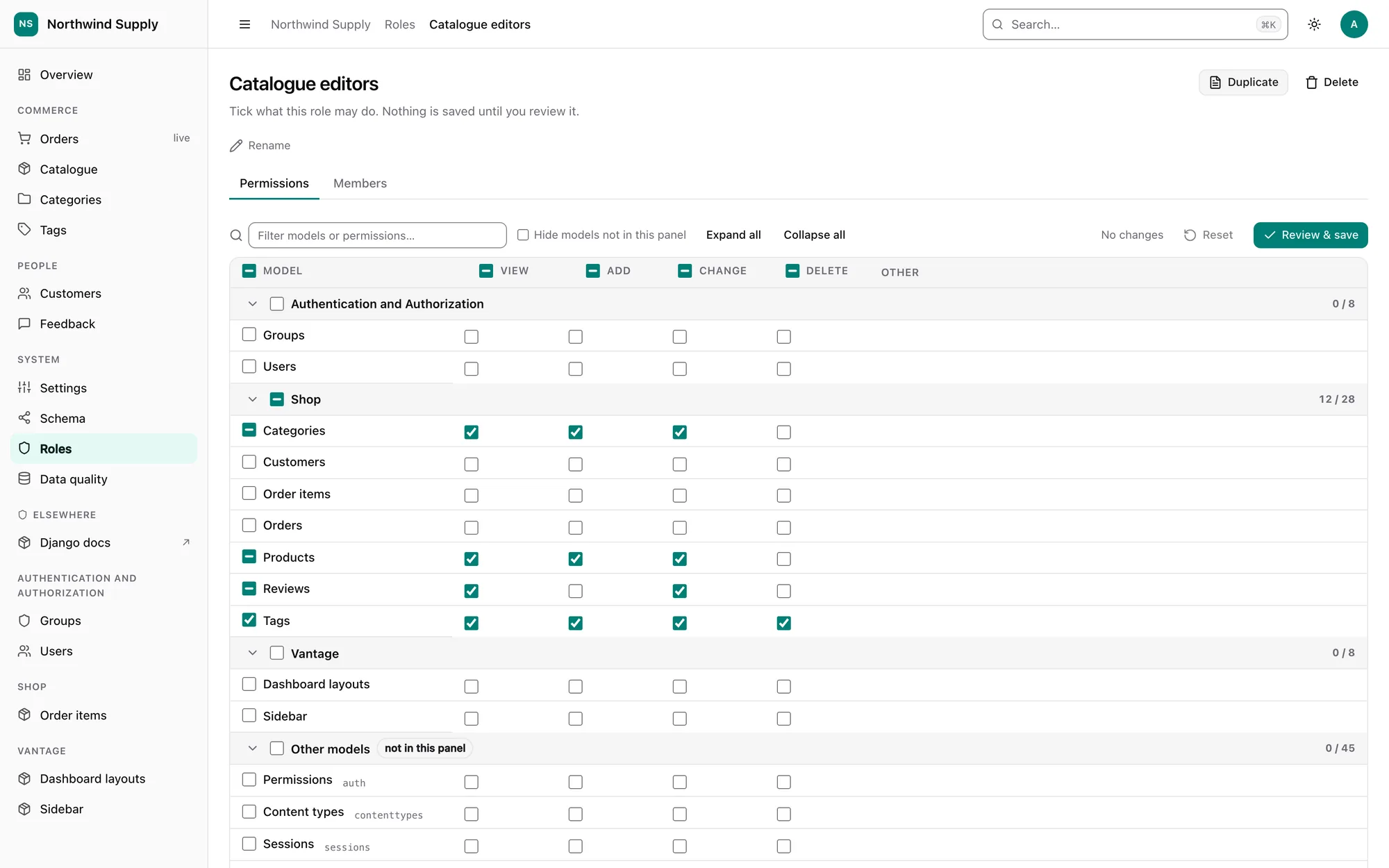
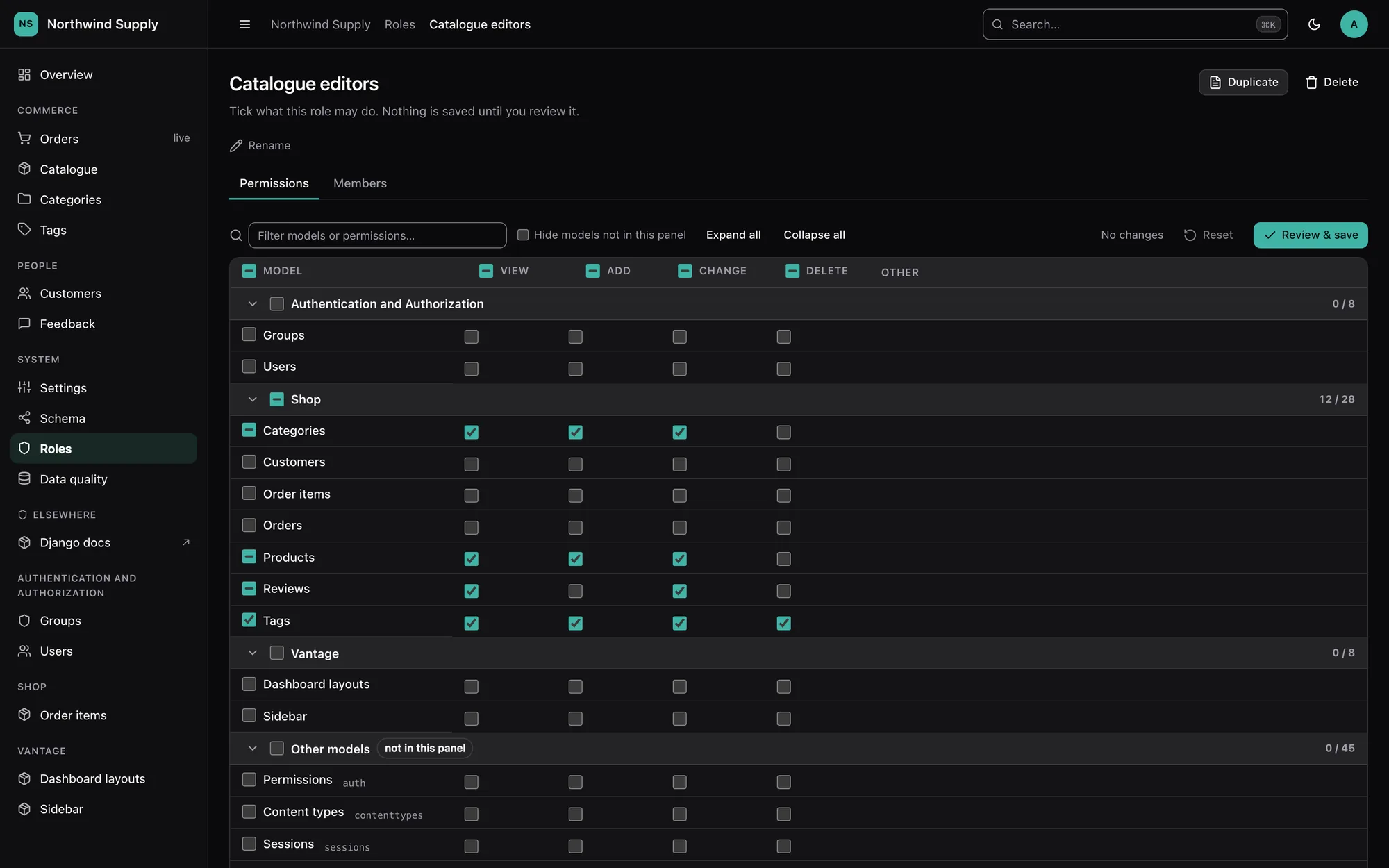
What it does
- Roles list — every role with its member and permission counts. Create, duplicate (permissions are copied, members are not), rename and delete.
- Permission matrix — one row per model, grouped by app; columns for the four
standard verbs (view, add, change, delete) plus an Other column holding any
custom permissions (
Meta.permissions). Tri-state checkboxes toggle a whole row, a whole column, a whole app, or everything shown. Sections fold, and a filter box narrows rows by model name, app or codename. - Pending diff and review — the toolbar counts what you have changed (
+12 / −3) and marks each changed cell. Review & save opens a dialog listing every grant and revoke; confirming sends one POST that is applied in one transaction, or not at all. - Members — add people with a searchable picker (the same combobox as every relation field) and remove them. Each member links to their effective permissions: the union of every role and their direct grants, with the source of each permission shown.
- Delete preview — before a role is deleted, the page says how many people would lose access, counted net of every other role and direct grant they hold.
Models this panel does not register — framework tables, excluded models, content types whose model has been removed — are still listed, in a final Other models section, because those permissions are real and a role can hold them. The Hide models not in this panel toggle hides that section; the choice is remembered per browser.
Who can use it
Superusers only, by default. Widen it with ROLES_PERMISSION, which takes a permission
string or a callable receiving the request — the same shape as SETTINGS_PERMISSION:
VANTAGE = {
    "ROLES_PERMISSION": "auth.change_group",
    # or: lambda request: request.user.groups.filter(name="IT").exists()
}
Getting in is not the same as being able to change things. Each write also asks the
permission layer for the matching verb on auth.Group — add to
create or duplicate, change to edit the matrix, rename or change members, delete to
delete — so read-only mode turns the screen into a
viewer, exactly as it does every other screen.
To switch the screen off for everyone, "ROLES_PERMISSION": lambda request: False: it
leaves the sidebar and the palette, and every route answers 403.
Nobody can grant what they do not hold
Widening access is safe because of one rule, enforced on the server for every request:
someone who is not a superuser can only grant or revoke permissions they hold
themselves (as user.get_all_permissions() reports them, through every authentication
backend). The cells they do not hold render locked, and a forged request that names them
is ignored.
The same rule covers the indirect routes to escalation. Adding a member hands that person the role's whole bundle — so changing a role's members, renaming it, duplicating it or deleting it requires holding every permission the role grants. "Add myself to Admins" is refused rather than being a one-click escalation that never touched a checkbox.
The screen never shows or edits is_staff or is_superuser. Only a superuser viewing an
account's effective permissions is told that the account is a superuser.
Safety properties
- Every permission id is validated server-side. Ids are checked against the
Permissiontable and the actor's reach; unknown, malformed or out-of-reach ids are dropped, and the save reports how many were ignored. - CSRF on every write — the views are wrapped in
csrf_protectthemselves, so they stay protected even in a project that removedCsrfViewMiddleware. - Conflicts, not clobbers. Each page carries a fingerprint of the role's name and permission set. The save compares it under a write lock on the group row; if a colleague changed the role in the meantime, nothing is saved and the page comes back (HTTP 409) showing what they granted and revoked, with your own changes re-applied on top for you to review and save again. Rename and delete are checked the same way. Membership changes are idempotent additions and removals, so they cannot clobber and carry no token.
- Everything is audited. Each save writes one audit log entry on the
role, naming every permission added and removed as
app.codename; membership changes name the users added and removed; create, rename, duplicate and delete are recorded too.
Performance
The matrix is built from two queries — every Permission with its content type, and the
role's permission ids — whatever the number of models. Grouping, verb detection and
"is this model registered here" are worked out in Python against the app registry. The
test suite asserts the page's query count is identical with and without three hundred
extra models. Saving is a constant number of statements however many cells changed.
Keyboard and screen readers
The matrix is a table of native checkboxes, each named by its permission ("Can change
order"), so Tab and Space work as everywhere else. Arrow keys move between cells like a
spreadsheet (Home/End jump to the ends of a row), section headers are disclosure buttons
with aria-expanded, and the tri-state headers expose the mixed state. Nothing is
drag-only.
Without JavaScript the page still works: the matrix is a plain form, Review & save
submits it directly, and the server works out the diff from the state the page was
rendered with. (A role holding more than Django's DATA_UPLOAD_MAX_NUMBER_FIELDS
permissions needs the script, which sends only the changes.)
Custom user models
Any AUTH_USER_MODEL works. Membership is found through the user model's many-to-many to
Group (groups on PermissionsMixin); a user model without one has no members tab, and
the matrix still manages the roles themselves. User search covers whichever of the
username field, email field, first_name and last_name the model has.