A smart, beautiful admin panel for Django
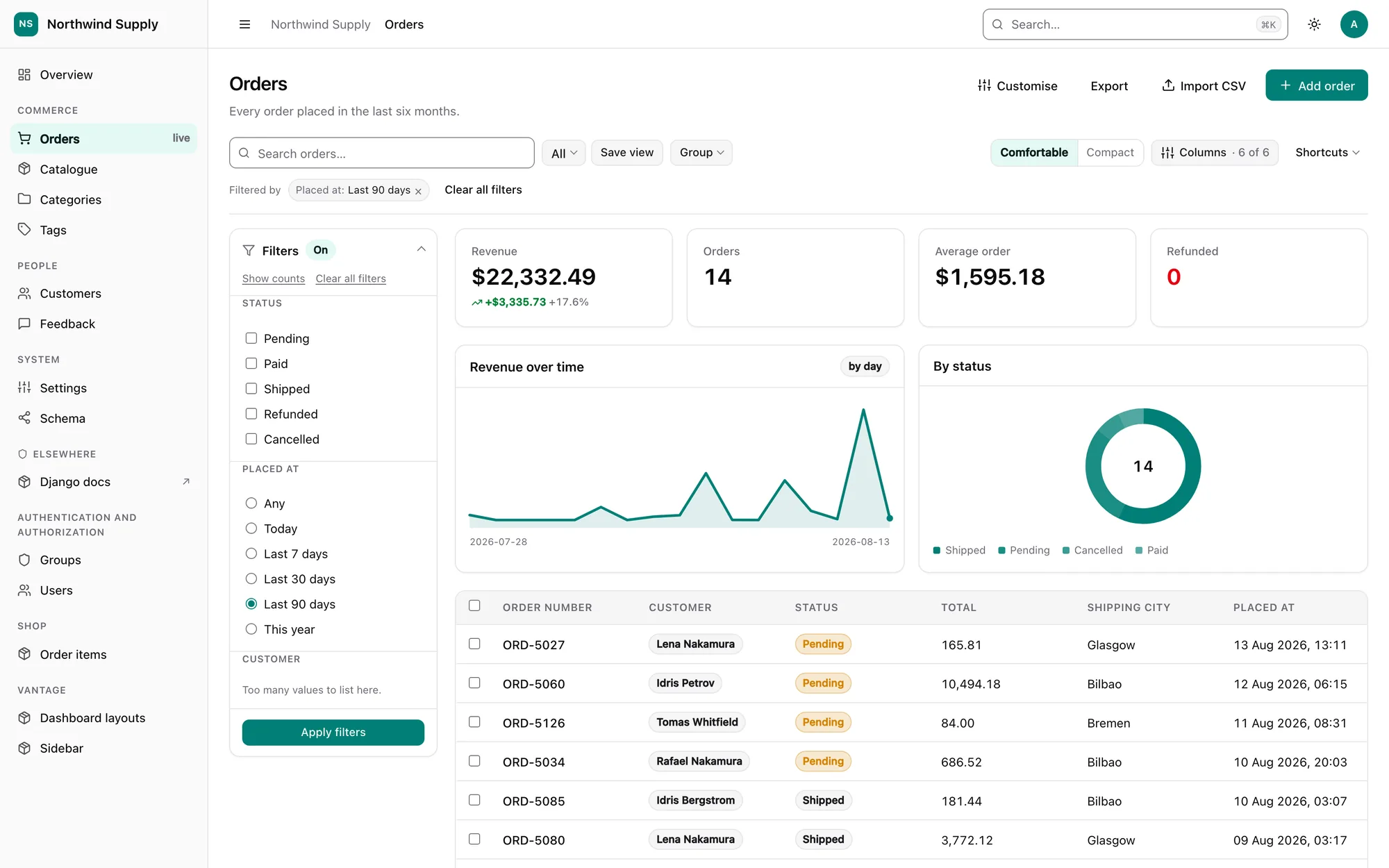
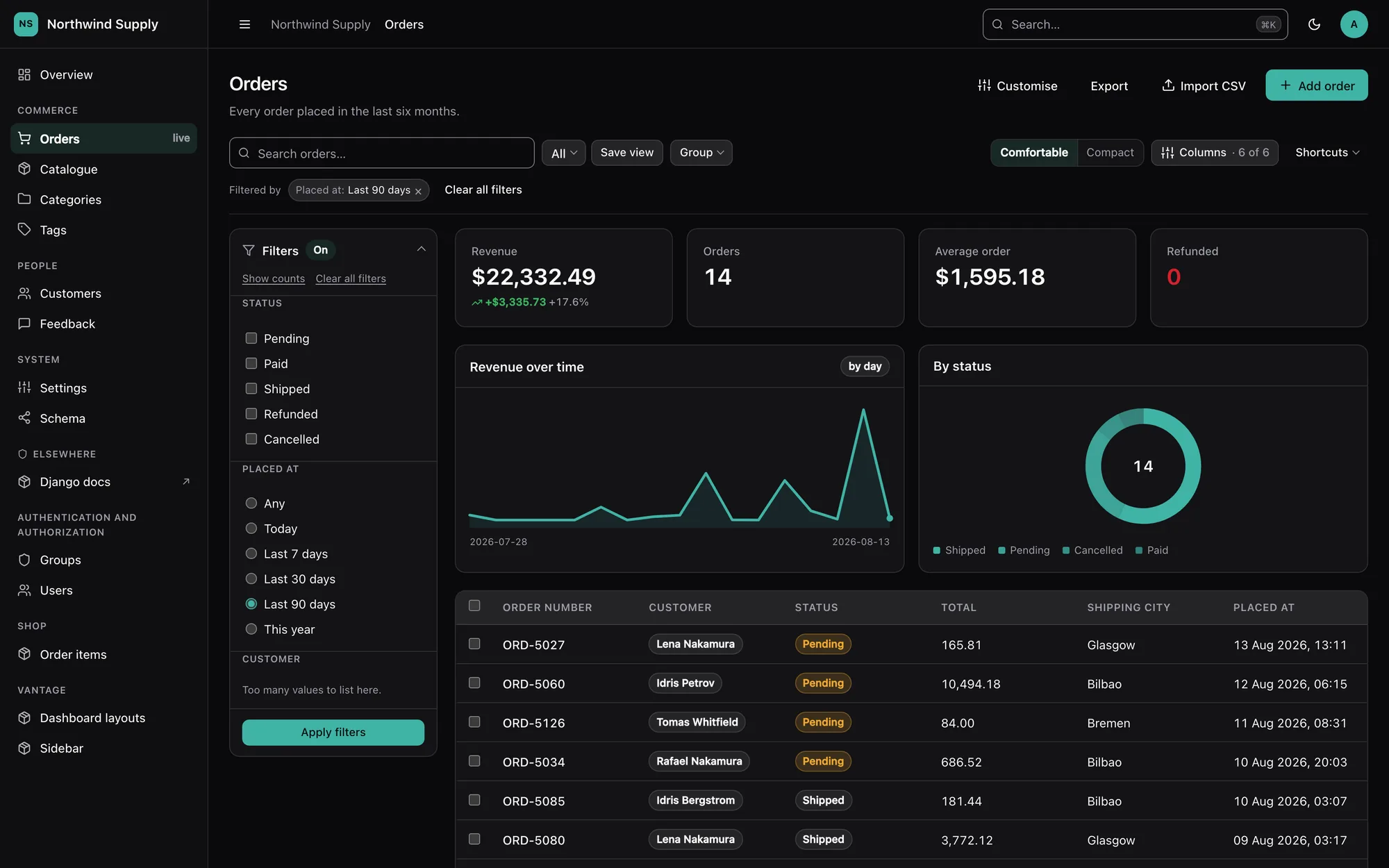
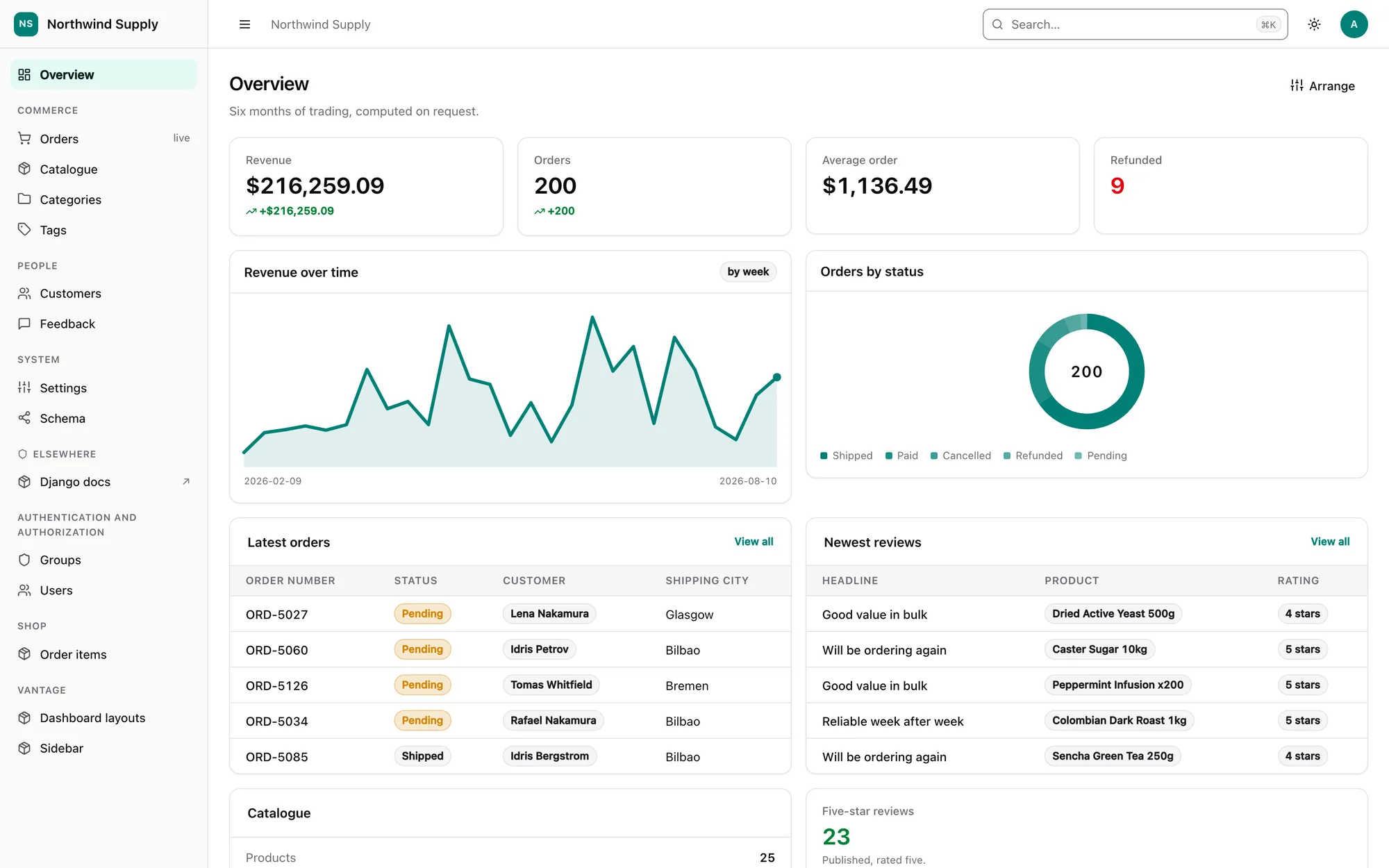
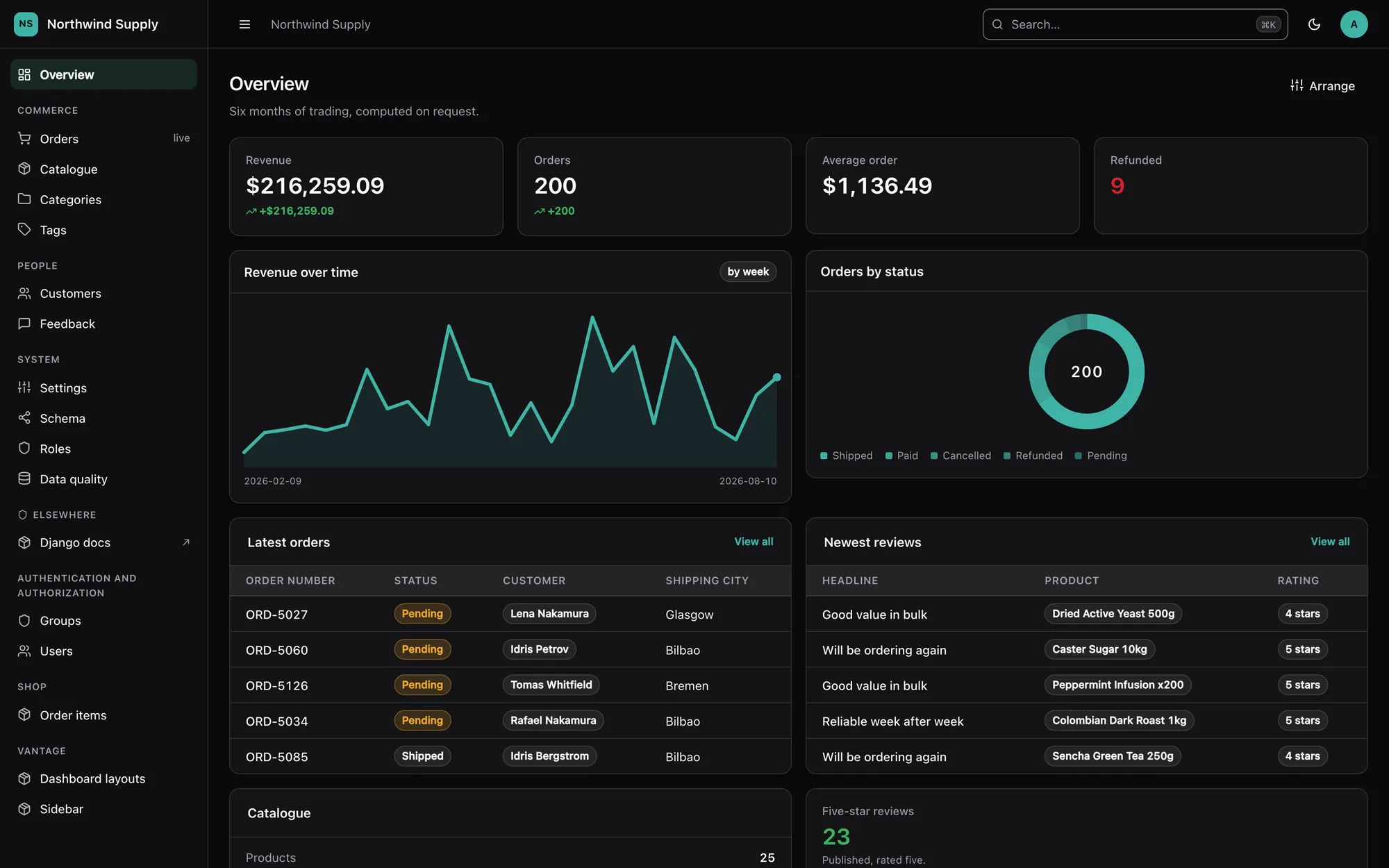
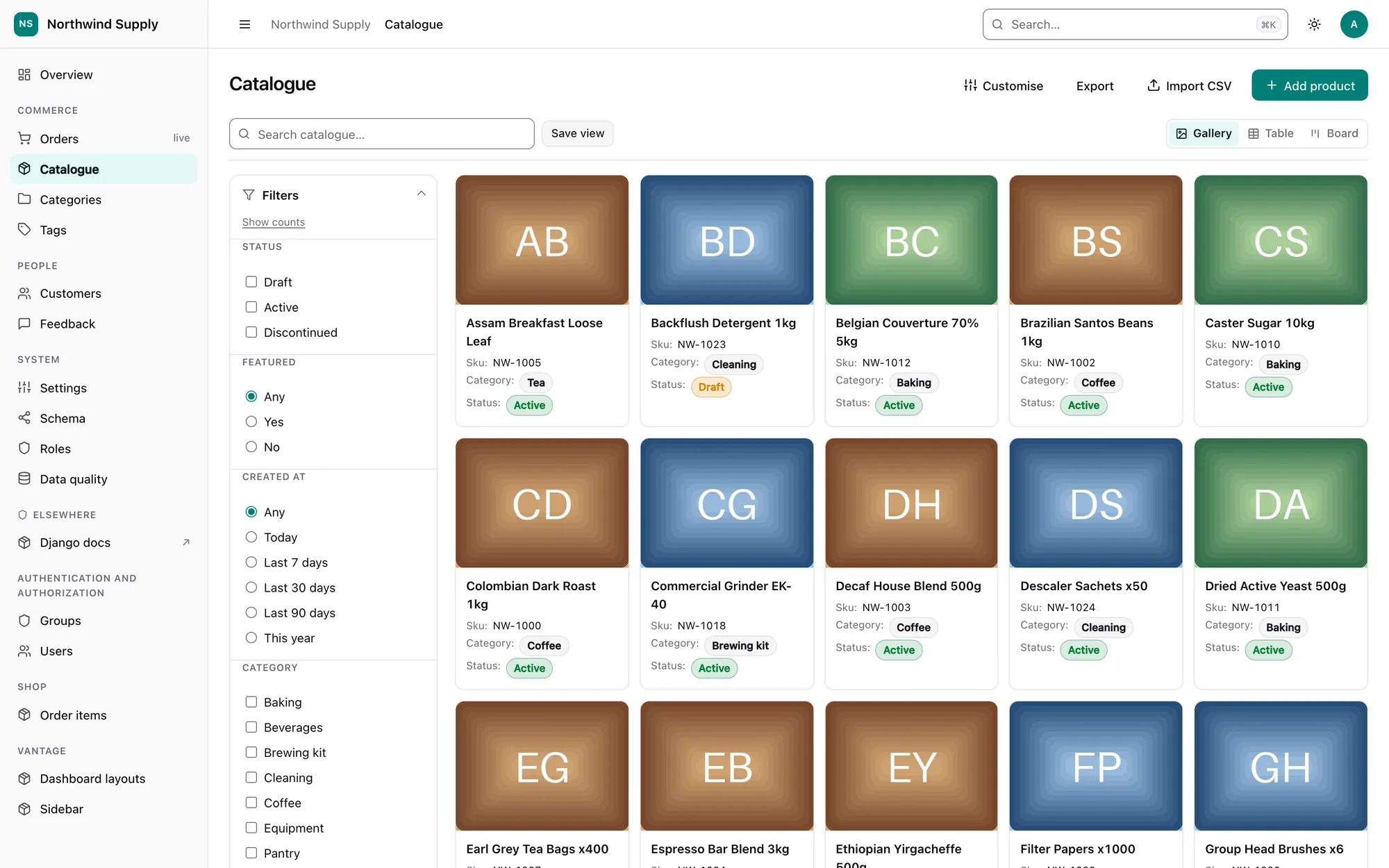
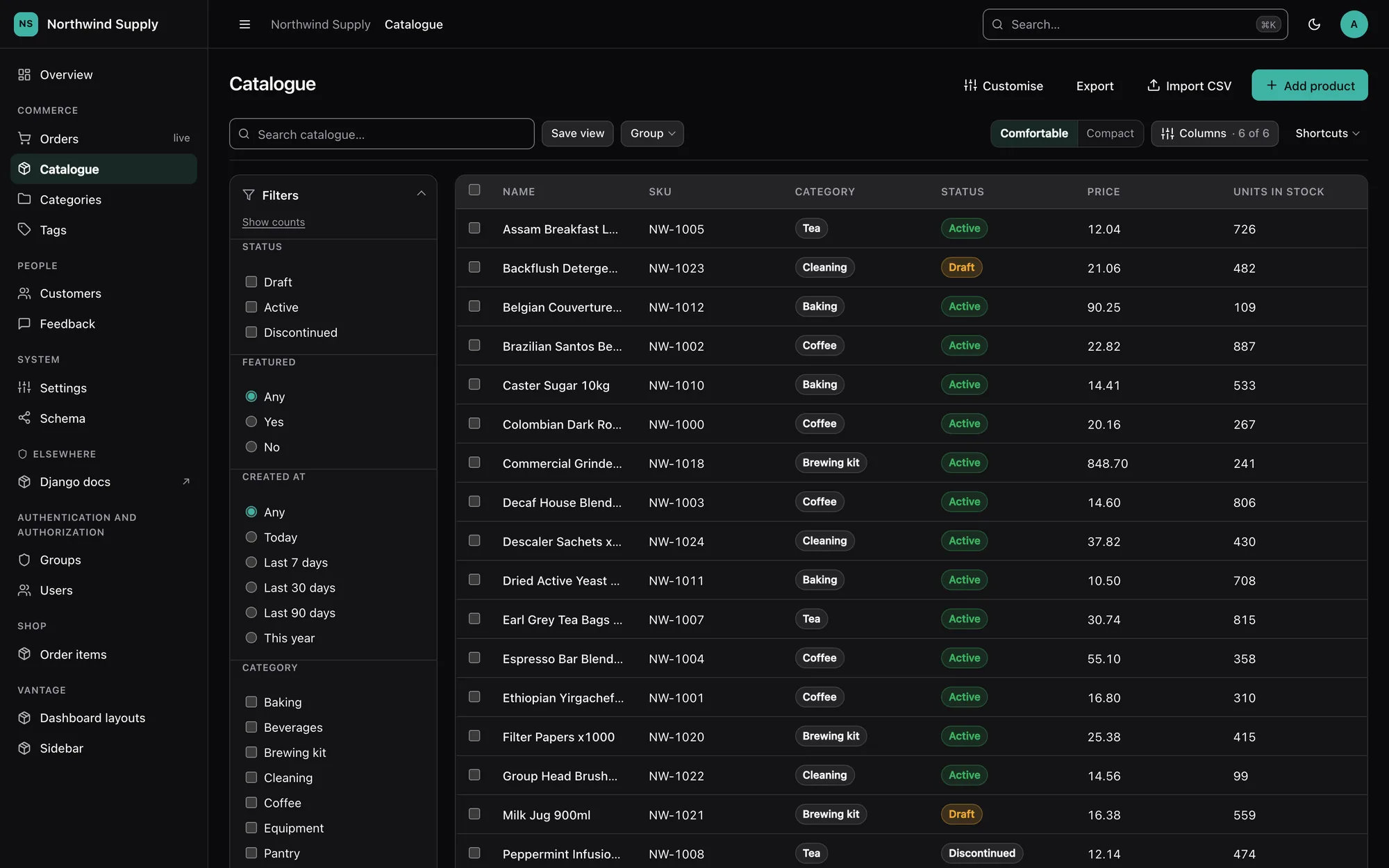
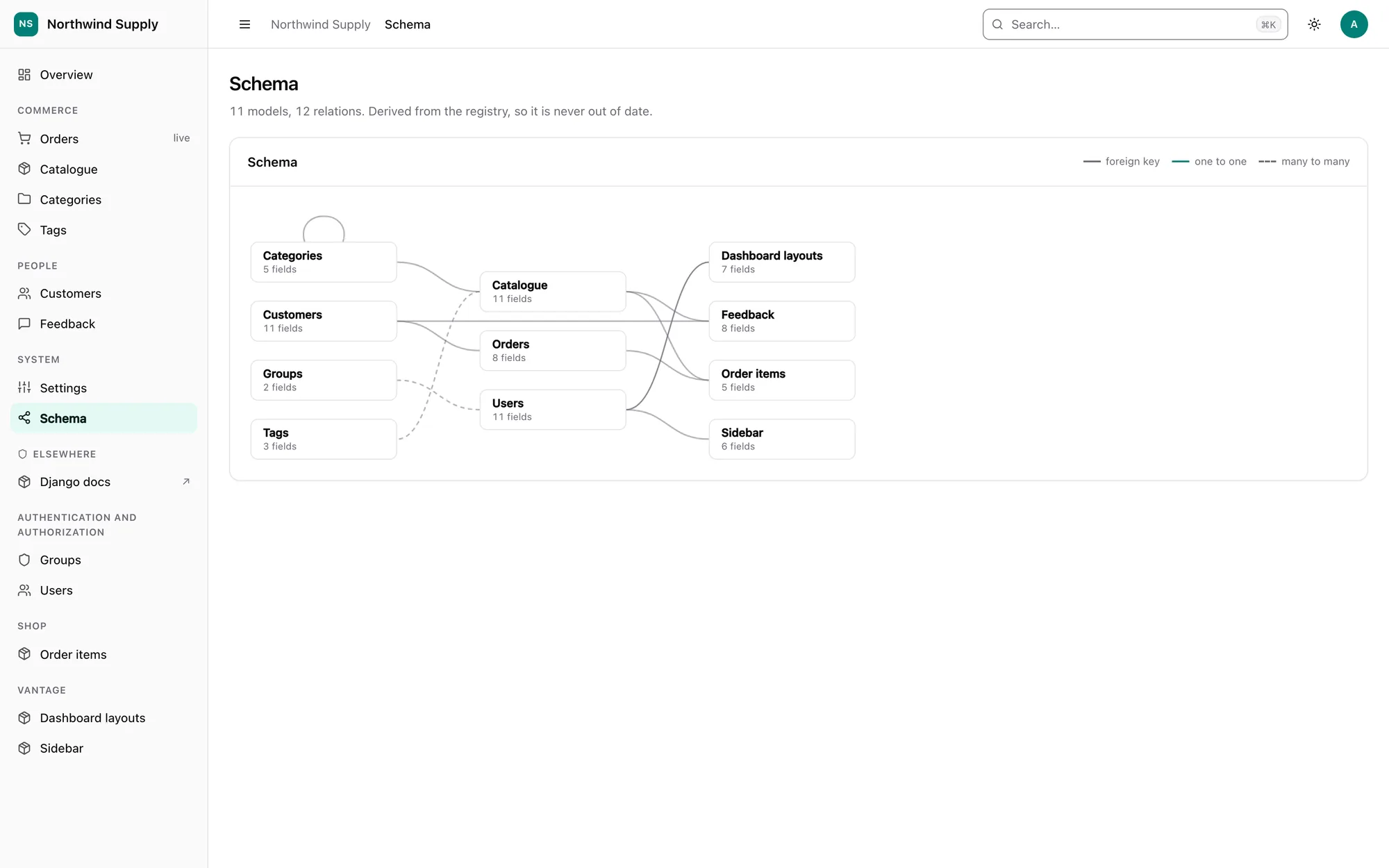
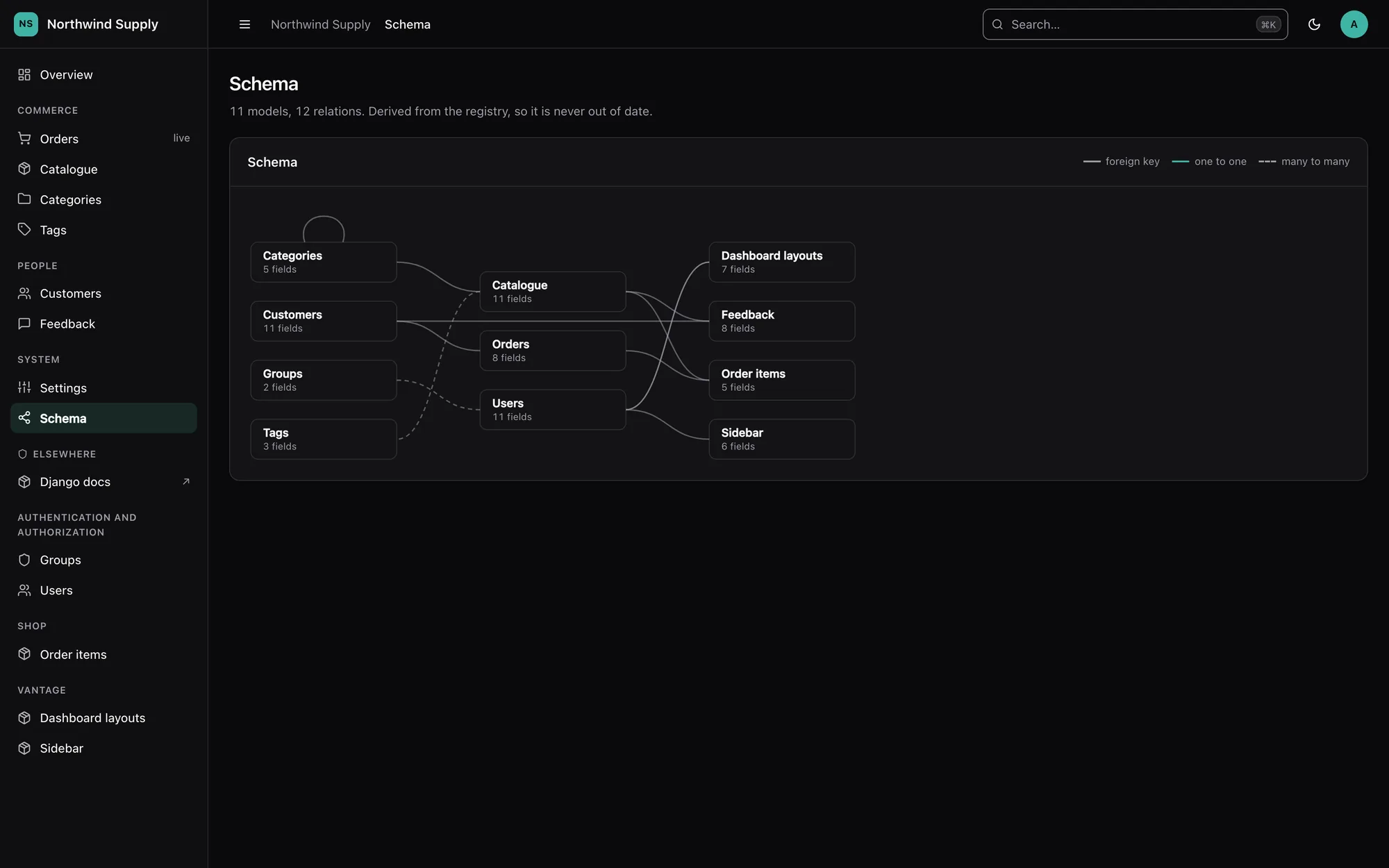
Zero config to start. One line to override anything. Install it, and every model you have is already administrable — with a data grid, charts, a command palette, light and dark themes and a schema map.
Alpha — 0.1.0a1
Working and heavily tested — more than 3,600 tests — but the API may still move. See the FAQ for an honest account of what is and is not done. Use it on an internal tool; pin the exact version if you depend on it.
Sixty seconds
# urls.py
from django.urls import path
from vantage import site

urlpatterns = [path("admin/", site.urls)]
That is the whole setup. Every model in the project is now administrable.
To change one model, write a panel.py next to its models.py:
from vantage import ModelPanel, register

from blog.models import Post


@register(Post)
class PostPanel(ModelPanel):
    list_display = ["title", "author", "status", "published_at"]  # (1)!
- Only the columns change. Filters, search fields and widgets stay inferred — partial configuration never opts you out of the rest.
Not sure what was inferred? Ask the package to write it down:
That prints a real panel.py containing exactly what Vantage decided. Own it, edit it,
or delete an attribute to hand it back to inference.
Full walkthrough: Getting started.
What you get
-
Inferred, attribute by attribute
Columns, filters, search, sort order, widgets and query optimisation come from the model itself. Override one and the rest stay inferred.
-
A real data grid
Saved views, grouping, density, column picker, inline editing, trash and restore, bulk actions that scale to "select all 40,000 matching".
-
Stats and charts in Python
StatandChartdeclared on the panel, computed on the filtered rows, folded into as few queries as possible. Inline SVG — no JavaScript. -
Forms with a layout DSL
Tabs,SectionandRow; editable inlines; a cascade-delete preview that shows the real tree of what goes with a record. -
Permissions that hold
Three layers, enforced on every view, bulk action and API call. Read-only mode and impersonation live in the permission layer; multi-tenancy is fail-closed.
-
A JSON API for free
Every panel, through the same permission and validation path as the UI, with cursor pagination and optimistic concurrency.
-
One colour, a whole theme
A brand colour becomes a complete light and dark palette with contrast checked. RTL from day one.
-
Configurable from the UI too
Columns, filters, stats, the dashboard, the sidebar and the branding — without a deploy, in one fixed order with
panel.py.
A closer look
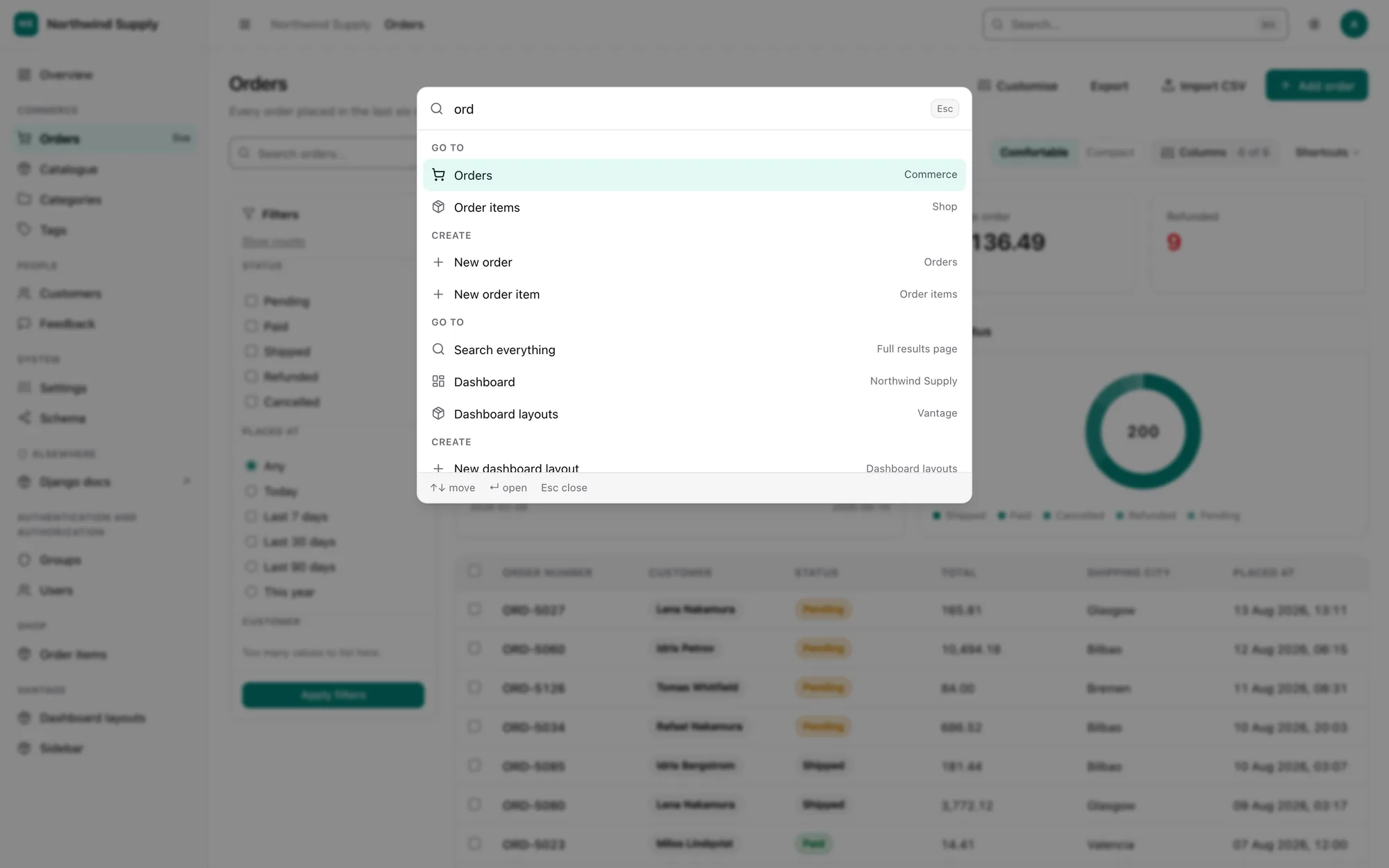
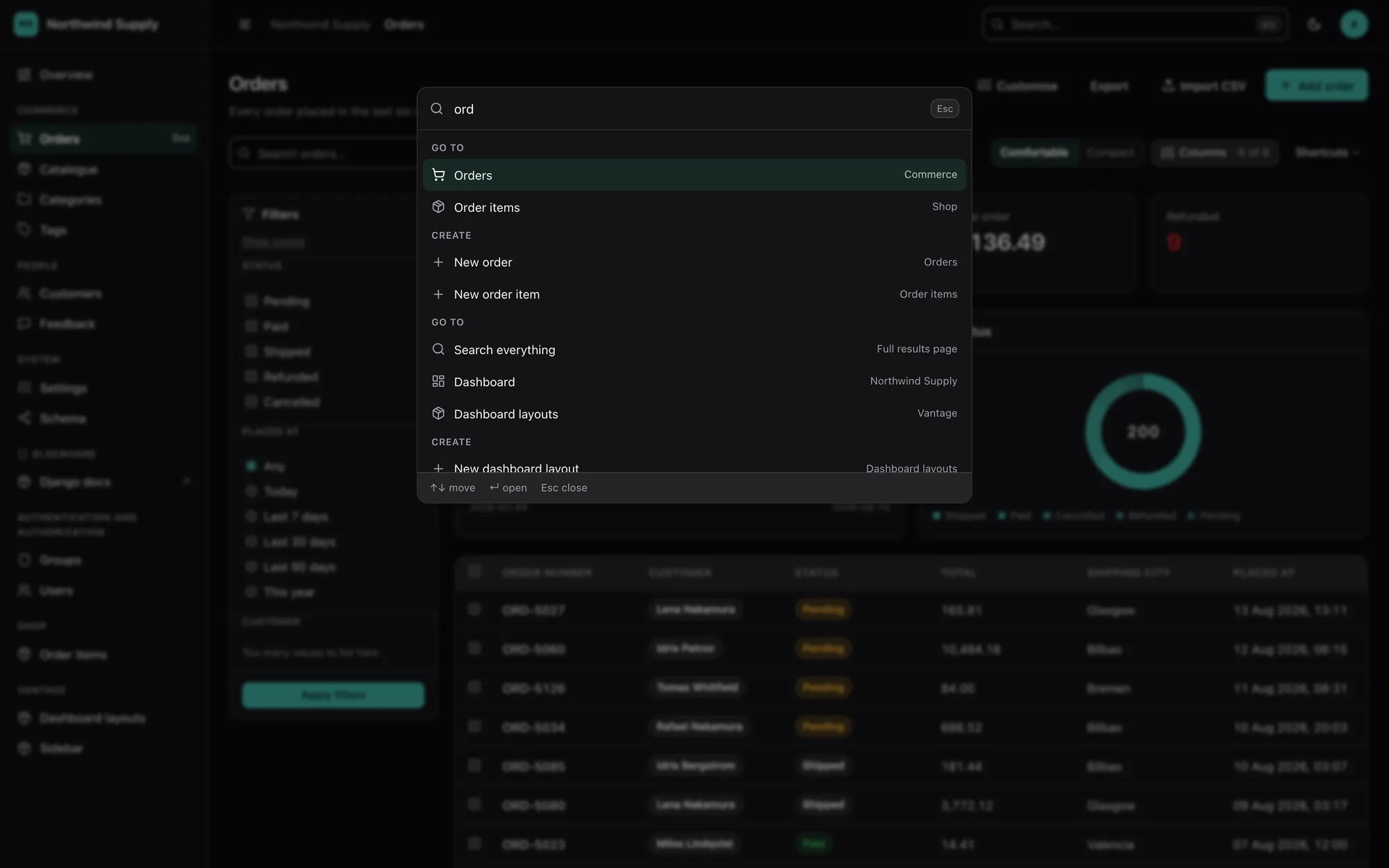
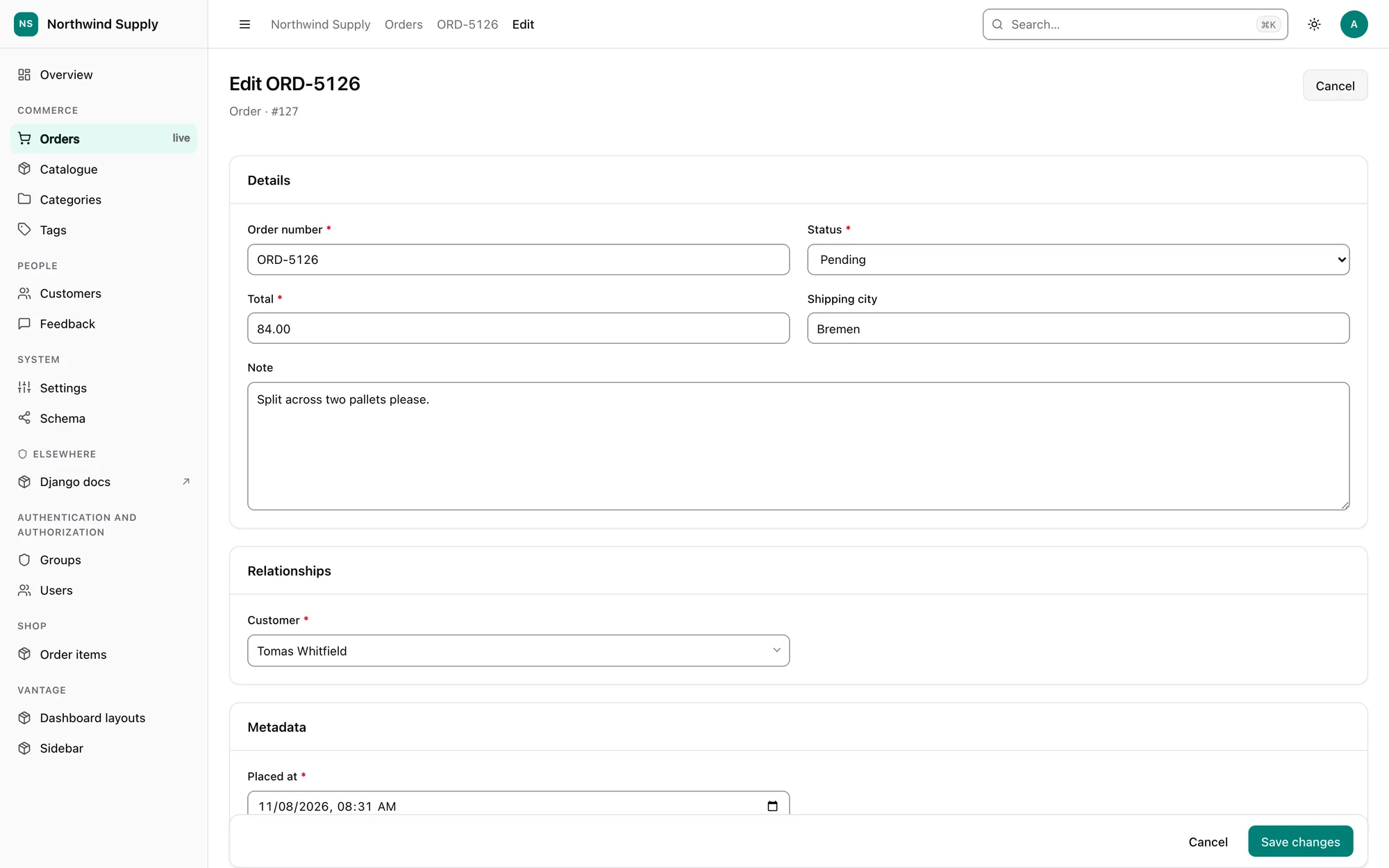
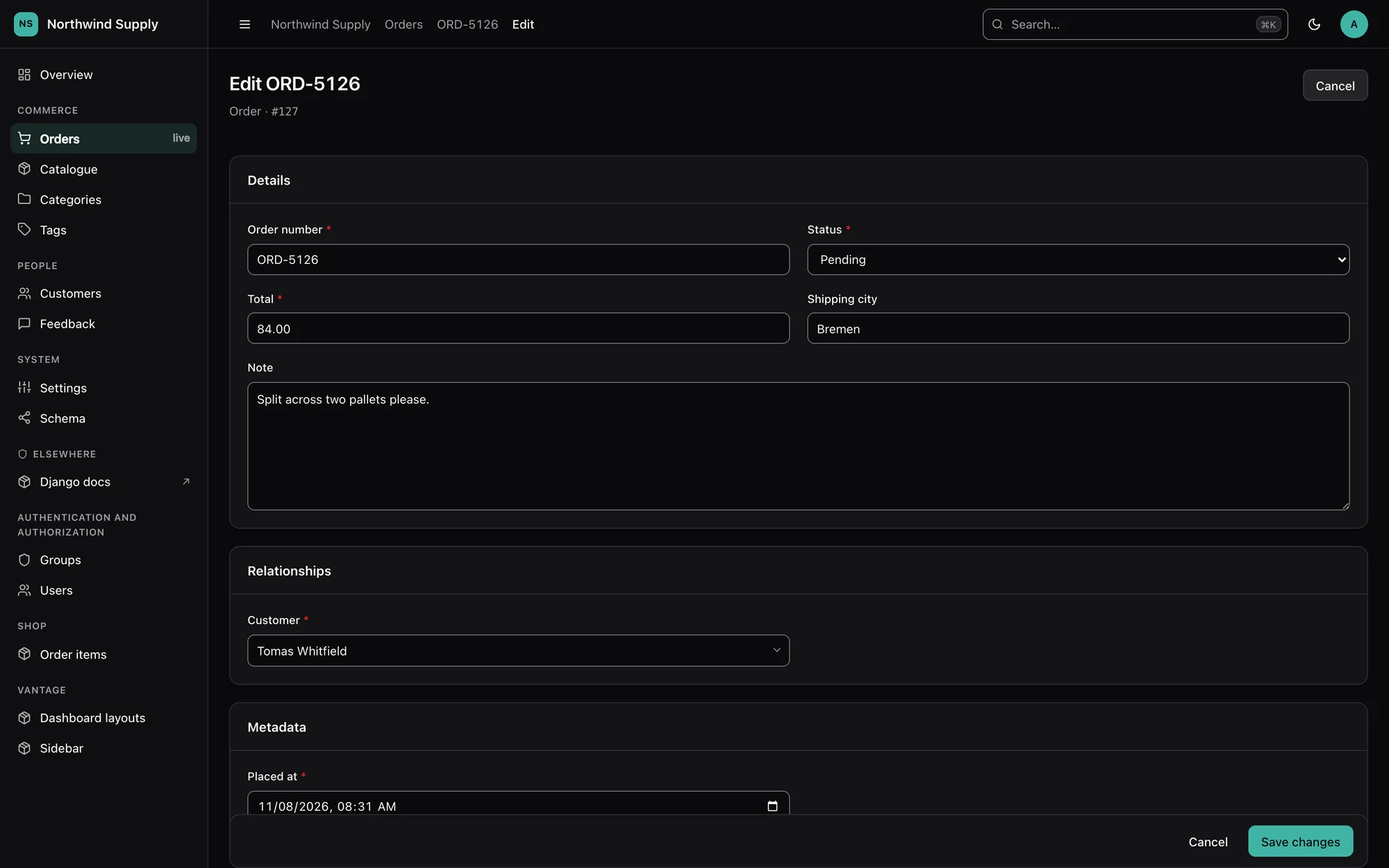
The two rules
Everything in this package follows from two rules.
1. Smart. Install it, and every model in your project already has a usable admin. Columns, filters, search fields, sort order, widgets and query optimisation are all inferred from the model itself. You write no configuration to get something worth looking at.
2. Easy. Every inferred default is overridable in one line, and overriding one
thing overrides only that thing. Setting list_display changes the columns; your
filters, search and widgets stay inferred. Partial configuration never opts you out of
the rest of the intelligence.
The second rule is the load-bearing one. A tool where "customise anything" means "customise everything" gets abandoned the first time someone needs one different column. Inference is therefore resolved per attribute, not as a single all-or-nothing fallback — see Inference.
A developer's API is not the only person who has to configure this. Whatever you
can set in panel.py or VANTAGE, the person running the panel day to day can often
set from the UI instead — a list's columns and filters, the branding, the behaviour —
without a deploy, and without your Python file becoming a fiction of what actually
renders. The two ways compose in one fixed order, stated once: see
How configuration resolves.
Requirements
Python 3.12+ and Django 5.2+ (including 6.x). Django is the only runtime dependency. No Node.js — the CSS and JavaScript ship prebuilt and depend on nothing. django-guardian, django-rules, django-mptt, django-treebeard and django-simple-history are all used when present and never required.
Map of the documentation
| Page | What is in it |
|---|---|
| Getting started | Install, mount, first look, vantage_scaffold |
| How configuration resolves | The one order everything composes in: UI override → panel.py/VANTAGE → inference |
| Panels | The complete ModelPanel surface, attribute by attribute |
| Inference | Exactly what is inferred and how, including the scoring rules |
| Lists | Columns, filters, search, sorting, saved views, the per-list customisation rail, trash and restore, bulk actions, background jobs, export and import |
| Analytics | Stat, Chart, the summary bar and the query-cost guarantees |
| Forms | Widget inference, the layout DSL, editable inlines, readonly fields, validation, delete preview |
| Permissions | The three-layer model, bulk row scoping, guardian, read-only, impersonation |
| The JSON API | Read/write endpoints over every panel, cursor pagination, concurrency, errors as data |
| Multi-tenancy | Scoping every registered model to a tenant, fail-closed, over both the panel and the API |
| Theming | BRAND_COLOR, the derived palette, tokens, light/dark, RTL, custom CSS, the settings screen |
| Internationalization | The shipped en/ar catalogues, activating a language, adding your own locale |
| Pages and dashboards | Screens that are not models, dashboard widgets, and arranging cards from the UI |
| Settings | Every VANTAGE key, its default and its effect |
| Deployment | What to check before pointing this at production |
| Security | The threat model, the deployment checks, upload screening, rate limiting, CSP |
| Accessibility | What is guaranteed, what you must supply, what is still broken |
| Browser tests | The Playwright layer over what a test client cannot see: focus, console errors, keyboard behaviour |
| Extending | Slots, plugins, and adopting an existing admin.py |
| FAQ | How it differs from django.contrib.admin, what it does not do |
Licence and attribution
django-vantage is open source under the MIT licence, copyright © 2026 Mahmoud Ahmed. You may use, modify and redistribute it, commercially or not, provided the copyright notice and licence text are kept in every copy or substantial portion of the code. A link back to the project is always appreciated.