Sensitive fields
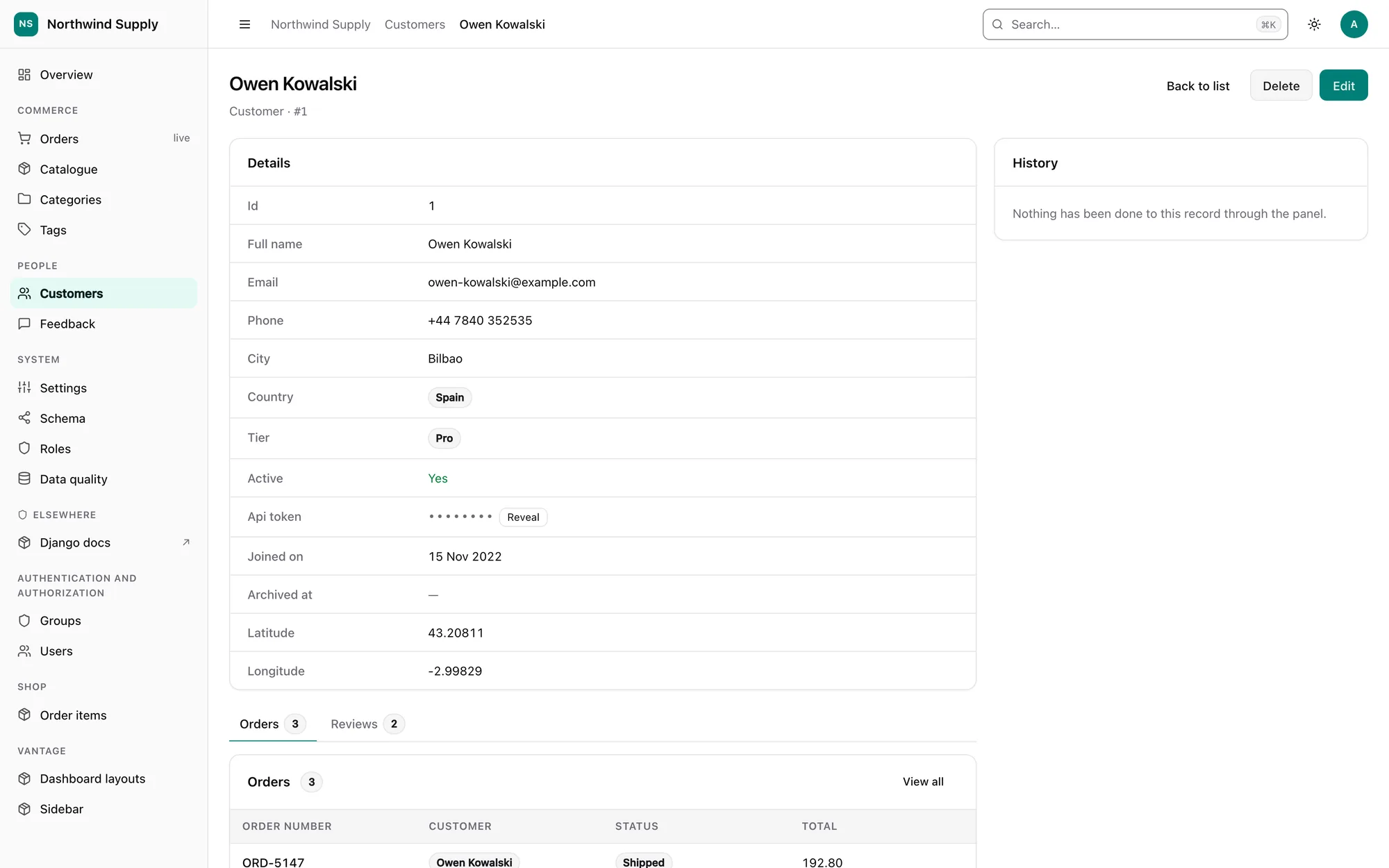
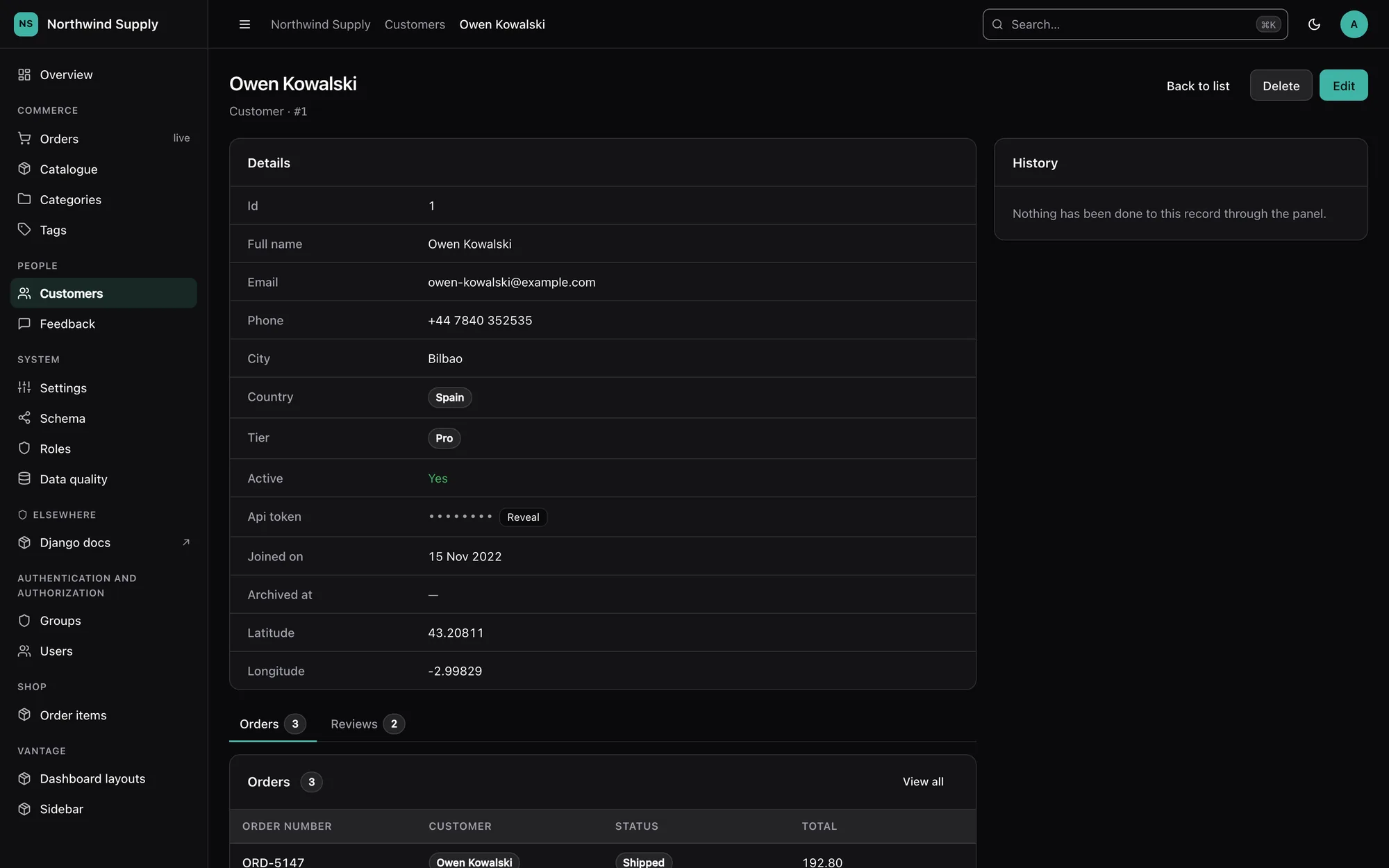
A field that looks like a secret is treated as one before anybody says so. Its value is masked on every surface the panel has — list cells, the detail page, exports, the JSON API, search, the audit log — and a person with the right permission can reveal one value at a time, which is logged.
@register(Customer)
class CustomerPanel(ModelPanel):
    sensitive_fields = ["api_token", "stripe_customer_id"]  # replaces inference
That one line is the whole configuration surface for a model. Leave it out and the
fields are inferred; set it to [] to switch masking off for that model.
What is inferred
A field is sensitive when its name contains one of the words below as a whole word, and its type can actually hold a secret:
password  passwd  pwd  passphrase  secret  token  api_key  apikey  access_key
private_key  client_secret  ssn  social_security  tax_id  iban  account_number
card_number  cc_number  credit_card  cvv  cvc  pin  otp  salt  hash  signature
"Whole word" means the name is split on underscores (and camelCase), and the word must be one or more complete parts of it:
| Name | Masked? | Why |
|---|---|---|
api_token, token, stripeApiKey |
yes | contains a whole word from the list |
tokenizer_name |
no | token is not a whole word here |
is_secretary |
no | nor is secret |
passport_photo_url |
no | personal data, not a credential — nothing in the list matches |
token_type, pin_attempts, password_hint, otp_enabled |
no | a trailing _type, _count, _attempts, _hint, _enabled, _status, _length… makes it a fact about a secret |
password_changed_at, otp_enabled |
no | a date or a boolean cannot hold a secret |
The types that can hold one are text (CharField and its subclasses, TextField),
JSONField, BinaryField, UUIDField and numbers. Booleans, dates, relations, files
and anything with choices never are.
Two things are sensitive whatever they are called:
- Encrypted field classes — any field whose class (or a base class) is named
Encrypted…Field, which covers django-fernet-fields, django-encrypted-model-fields, django-cryptography and django-pgcrypto-fields without importing any of them. - Django's
User.password— always masked, even when a panel'ssensitive_fieldsleaves it out, and never revealable. There is no screen on which printing a password hash is the right answer.
manage.py vantage_scaffold writes the inferred list out as sensitive_fields = [...],
so the decision is visible in code review.
The vocabulary
VANTAGE = {
    "SENSITIVE_PATTERNS": ["...", "nhs_number", "routing_number"],  # extend
    # "SENSITIVE_PATTERNS": ["password", "token"],                  # replace
}
A list replaces the built-in words; including "..." (or Python's ...) keeps them.
It is a deployment setting, read straight from settings.VANTAGE and deliberately not
editable from the panel's settings screen: a screen that can shorten the list is a
screen that can unmask a column.
What masking looks like
••••••••— always eight bullets, so the mask's width says nothing about the value's length.•••• 4242for card, IBAN and account numbers (card_number,cc_number,credit_card,iban,account_number), because that is how people tell two cards apart — but only when the value has at least ten characters, so four of them are a small part of it.- An empty value shows as empty. Whether a customer has an API token is the useful half of the information, and the half the mask is not protecting.
Every surface
| Surface | What happens |
|---|---|
| List cells | Masked, with a reveal control. Inference never picks a sensitive field as a column; an explicit list_display may, and it renders masked |
| Detail page | Masked, with a reveal control; a password hash gets Set password instead |
| Summary bar, stat cards, breakdowns | Never aggregated — a min, max or average is a value, or a bound on one |
| CSV / TSV / JSON export | The same mask as the table; empty stays empty |
| JSON API | {"value": null, "display": "••••••••", "masked": true} in lists and records; the schema marks the field "sensitive": true; a 409 conflict never shows "theirs" |
| Search, filters, sorting | Never searchable, filterable or sortable — each one is an oracle (see below). Applies to declared configuration too, and manage.py check warns (vantage.W090) |
| Global search and the ⌘K palette | Never match on a sensitive path, never print one in a result's subtitle |
| Autocomplete | Never searches a sensitive field |
| Inline cell editing | Never offered for a sensitive field |
| Edit form | Write-only (below) |
| Bulk edit | Never offered — one secret on forty rows is forty rows sharing it |
| Duplicate | Not copied; the duplicate page says so |
| Import | The preview masks both sides of a changed secret, a sensitive column is never an upsert key, and the mapping step masks sample values for a sensitive column |
| Audit log and record history | Recorded as "changed — value not recorded", never with the value. Applied again when the log is displayed, so an entry written before a field became sensitive stops printing it |
Page titles and __str__ |
If a record's __str__ contains one of its own sensitive values (DRF's Token returns the key), titles, breadcrumbs, foreign-key chips, search results, autocomplete, select options and audit labels use "<Model> #<pk>" instead |
| Markup | The value is never in an attribute, a data- blob or a JSON island — the masked cell carries only the reveal endpoint's URL |
Why search, filtering and sorting are refused
They do not display the value, but each one answers a question about it:
- Search —
?q=sk_live_4freturning one row says a token starts that way. Repeat one character at a time. - Filtering — the row count for
pin = 1234is a yes/no answer per guess. - Sorting — a page sorted by the masked column, plus one value you know, bisects every other one.
So a sensitive path is removed from list_search, list_filter, ordering and
?sort= whoever declared it, and manage.py check tells you when a declaration was
dropped:
vantage.W090: 'search_fields' lists 'api_token', which is a sensitive field on
shop.Customer; it is ignored there.
Revealing a value
A masked value on the list or detail page gets a Reveal button for users who may use it. Clicking it:
POSTs to<app>/<model>/<pk>/reveal/<field>/— never aGET, which browsers prefetch, proxies log and history keeps;- fetches the record the way every other view does (scoped by
filter_queryset, so an out-of-reach record is a 404, then checked forviewat object level); - asks the panel's
can_reveal(request, obj, field)— by default, superusers and holders ofvantage.reveal_sensitive; - spends one unit of the
revealrate limit (30 per 5 minutes per account, enforced by the view itself, whether or not the security middleware is installed); - writes an audit entry — "boss revealed api_token on Acme Ltd" — before the value leaves the server;
- answers
{"value": "...", "expires_in": 30}withCache-Control: no-store.
The page masks the value again after 30 seconds, when the tab is hidden, and when the page is left — including into the back/forward cache, whose snapshot would otherwise keep it.
Hashes are never revealed, whatever can_reveal says: Django's User.password, any
field whose name pairs a hash word with a secret word (pin_hash, api_key_digest,
password_hash — a hashed PIN can be brute-forced in milliseconds), and any value that
turns out to be in Django's algorithm$… hash format. A bare content_hash is a
checksum, and stays revealable. For a user's password the detail page offers Set
password, which uses Django's own AdminPasswordChangeForm, needs change
permission on that user, and is audited with the value redacted.
The permission
vantage.reveal_sensitive is created by migrate (a post_migrate handler, so the
feature costs no migration). Grant it like any other permission. To decide per model,
per record or per field instead, override the hook:
class CustomerPanel(ModelPanel):
    def can_reveal(self, request, obj, field_name):
        # Account managers may see their own customers' tokens, and nothing else.
        return obj.account_manager_id == request.user.pk and field_name == "api_token"
The hook replaces the default entirely (superusers included), runs only after the
view check on the record has passed, and cannot make a hash revealable.
Write-only form fields
On the edit form a sensitive field is an empty input with a placeholder — "Unchanged — type to replace" when something is stored, "Not set" when nothing is:
- Empty submission keeps the stored value, so editing a customer's name does not wipe their token.
- A nullable or blank-able secret gets a Clear checkbox, the only way to empty it on purpose.
- The stored value is not in the page, not in
form.initial, and not echoed back after a validation error. - Inputs carry
autocomplete="new-password", so a browser's password manager does not autofill an admin's own password into a customer's API key field.
The JSON API follows the same rule: an omitted field or "" keeps the value (a PUT
that leaves a secret out keeps it), null clears it.
Threat model
What this protects against
- An over-the-shoulder view, a screen share or a screenshot of the panel.
- Staff who need to work with a record but not with its credentials — the default for
everyone who is not a superuser and has not been granted
vantage.reveal_sensitive. - Exports, API responses and audit entries that travel further than the panel does: emailed CSVs, client logs, log aggregators.
- Inference attacks through the panel's own controls: search, filters, sorting, aggregates, import upsert keys and inline editing.
- Casual bulk extraction through reveal: every reveal is permission-checked, audited and rate-limited.
What it does not protect against
- The database. Values are stored exactly as your models store them. Masking is a presentation rule; encryption at rest is a different feature (use an encrypted field class — which Vantage then masks automatically).
- Superusers. They may reveal by default, and they can grant themselves anything.
Narrow
can_revealif that matters, and watch the audit log. - The Django shell, management commands,
dumpdata, backups and anything else that reads the database without going through the panel. DEBUG = Trueerror pages. Django's technical 500 page prints local variables, which can include a model instance and its values. Never runDEBUGin production; Django'sSafeExceptionReporterFilteronly scrubs settings and request parameters whose names it recognises.- Your own code. A panel method column, a custom template, a
slotcontribution, alist_stats/list_chartsdeclaration or asave_modelhook that reads a sensitive field renders whatever it reads. A model__str__that embeds a secret in a longer string is caught only when the whole value appears in it. - Values sent to the browser on purpose. A revealed value is in the page for up to 30 seconds, and anything typed into a write-only input is in the request body.
- Names nobody recognises. A secret in a column called
notesis not inferred. Name it insensitive_fields, or extendSENSITIVE_PATTERNS. - Whether a value is set. An empty secret displays as empty, by design.