Insights
The Insights page answers "how are my tasks doing?" without leaving the dashboard. Everything is computed when you open the page from the existing run history; nothing extra is stored.
Trends
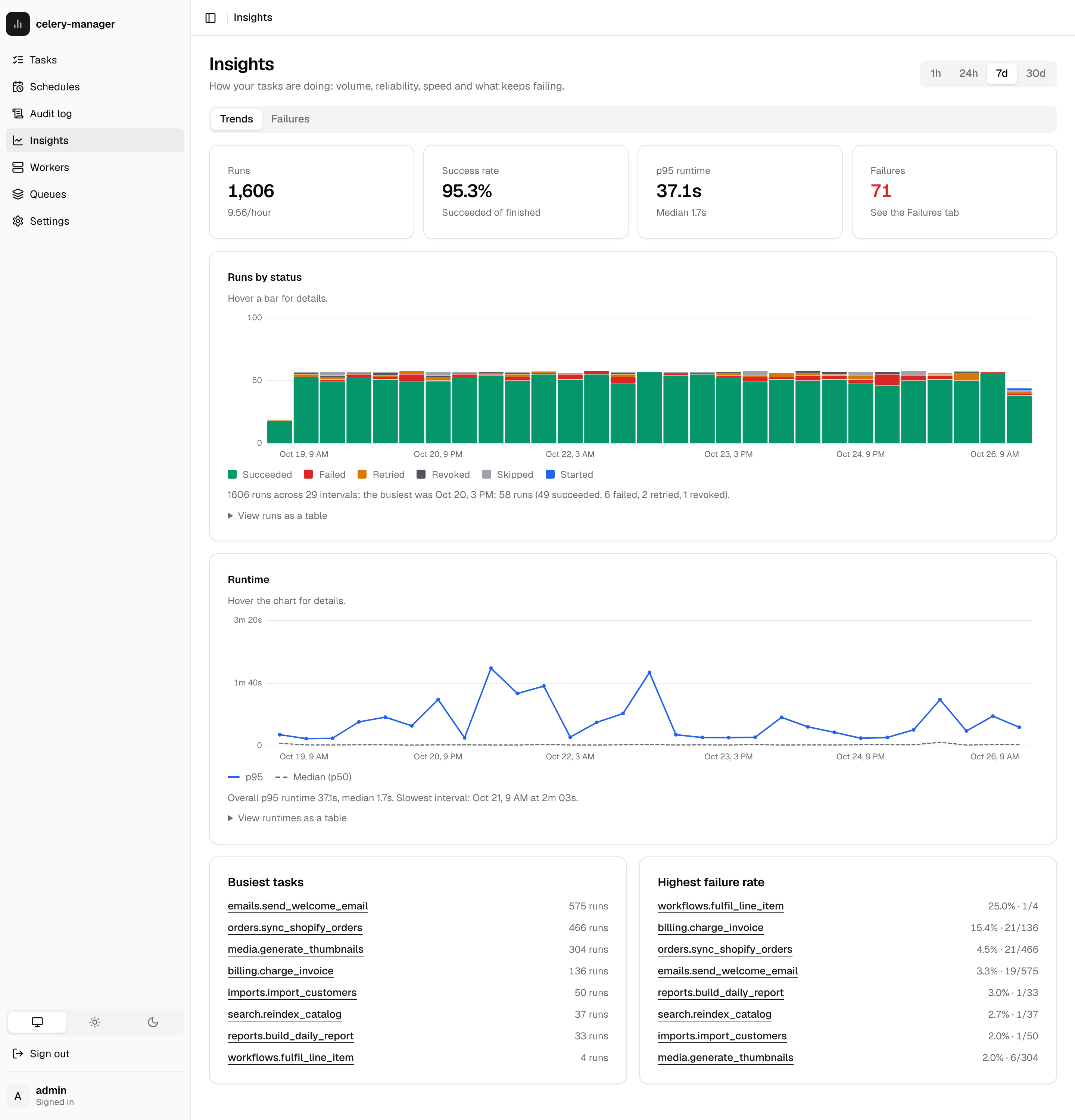
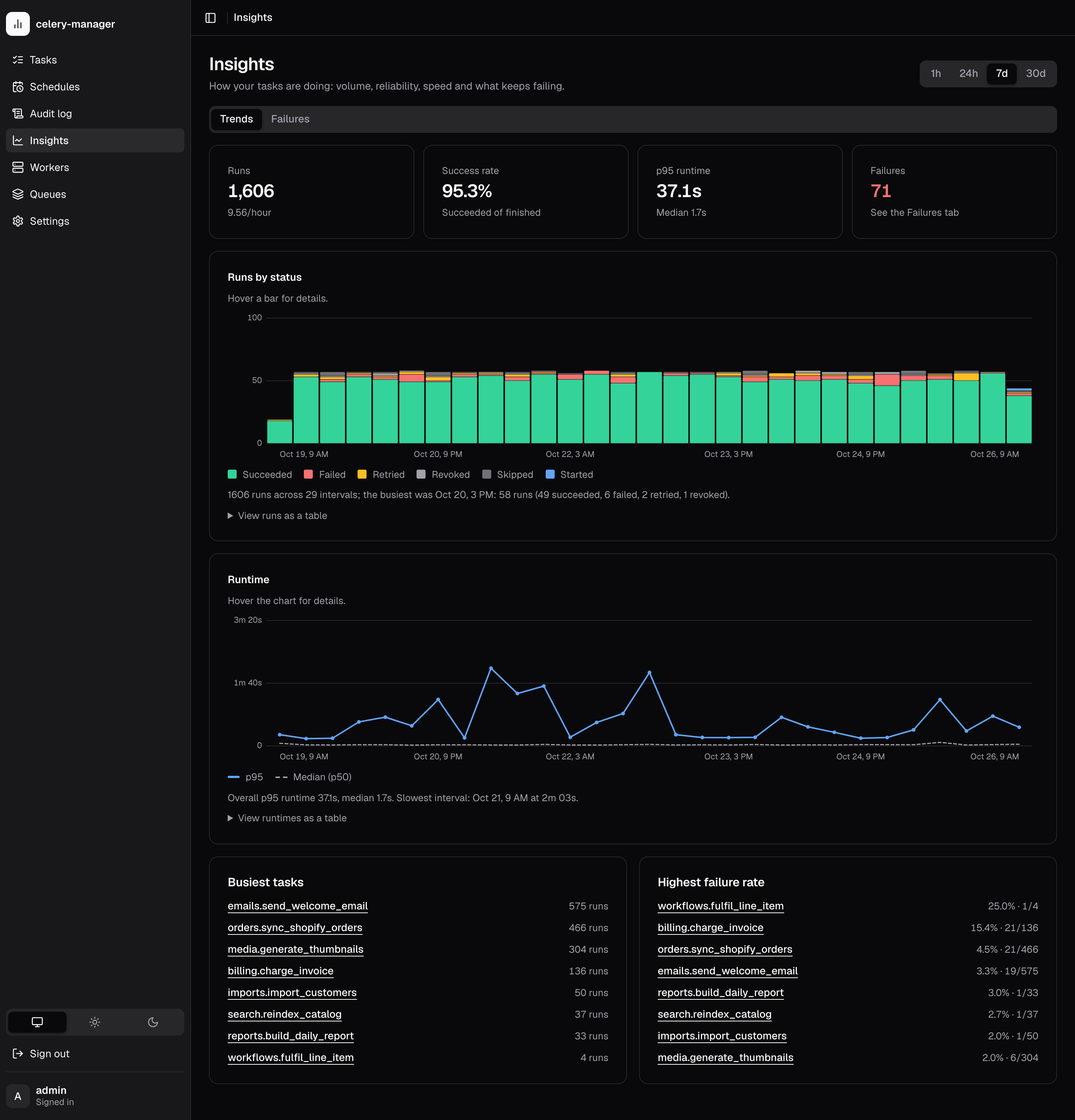
Pick a range (1h, 24h, 7d, 30d). The page shows:
- KPIs: runs, success rate, p95 runtime and failures.
- Runs by status: stacked bars per interval, in the same colours as the task list.
- Runtime: p95 (solid) and median (dashed) per interval.
- Busiest tasks and Highest failure rate (tasks with at least 3 runs). Each name links to that task's page.
Every chart has a written summary and a "View as a table" fallback.
| Range | Interval |
|---|---|
| 1h | 5 minutes |
| 24h | 1 hour |
| 7d | 6 hours |
| 30d | 1 day |
Definitions:
- A run is placed by
started_at, orfinished_atif it never started. Queued runs with neither timestamp are not counted. - Success rate is succeeded divided by (succeeded + failed). Skipped, revoked, retried and in-flight runs are excluded from the ratio.
- Runtime percentiles use finished runs (succeeded or failed) with a recorded runtime, linearly interpolated, and are calculated in Python so they behave the same on SQLite, PostgreSQL and MySQL.
- A query scans at most 50,000 runs (newest first). If a range holds more, the
page says the figures cover the newest runs only (
truncated: true).
Task page
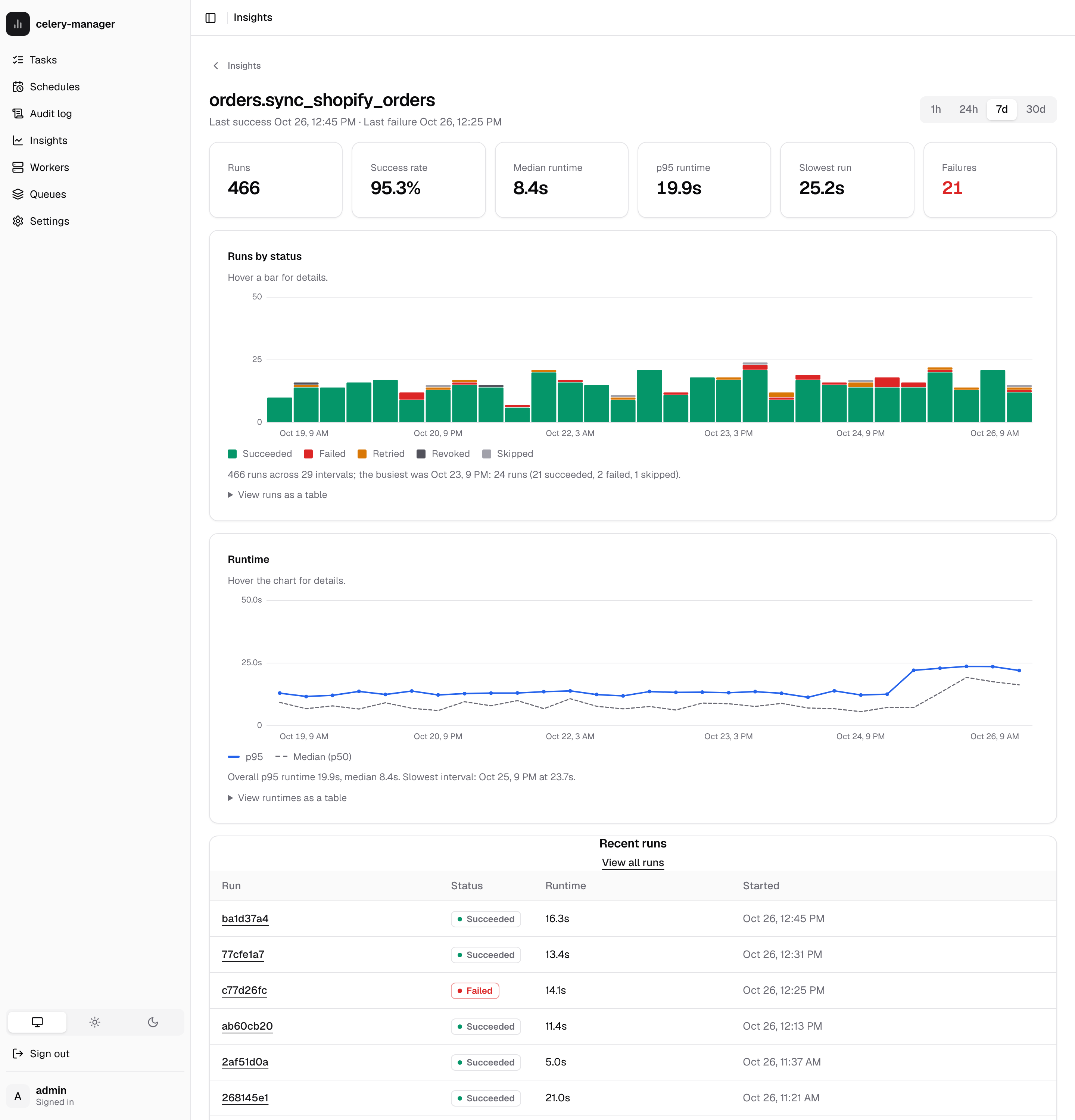
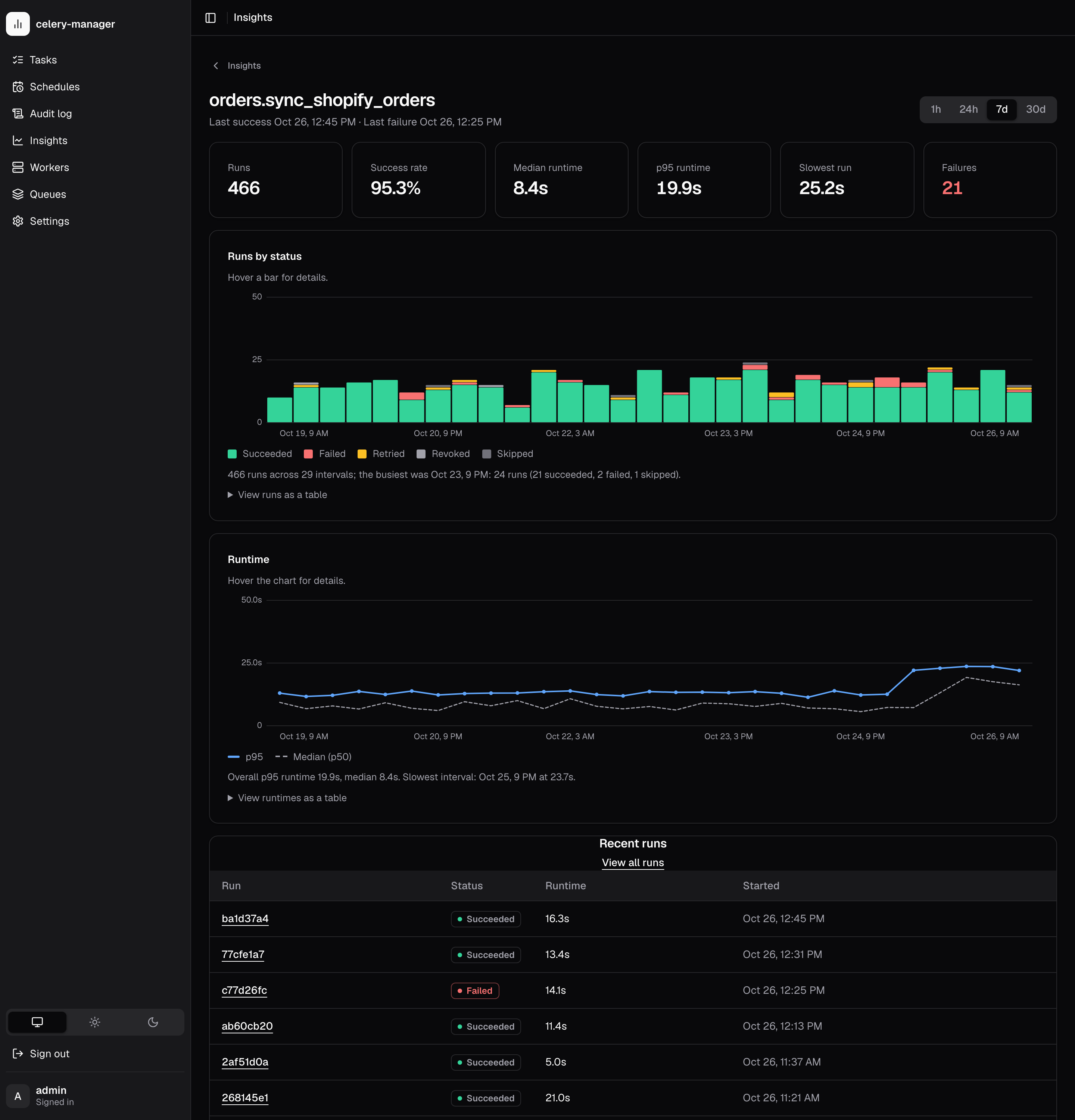
Open /task-types/<task name> from the task name on a run's detail page or
from the Insights lists. It shows totals, success rate, median/p95/slowest
runtime, the last success and failure, the same charts filtered to the task,
the 10 most recent runs, and its top errors.
Failures
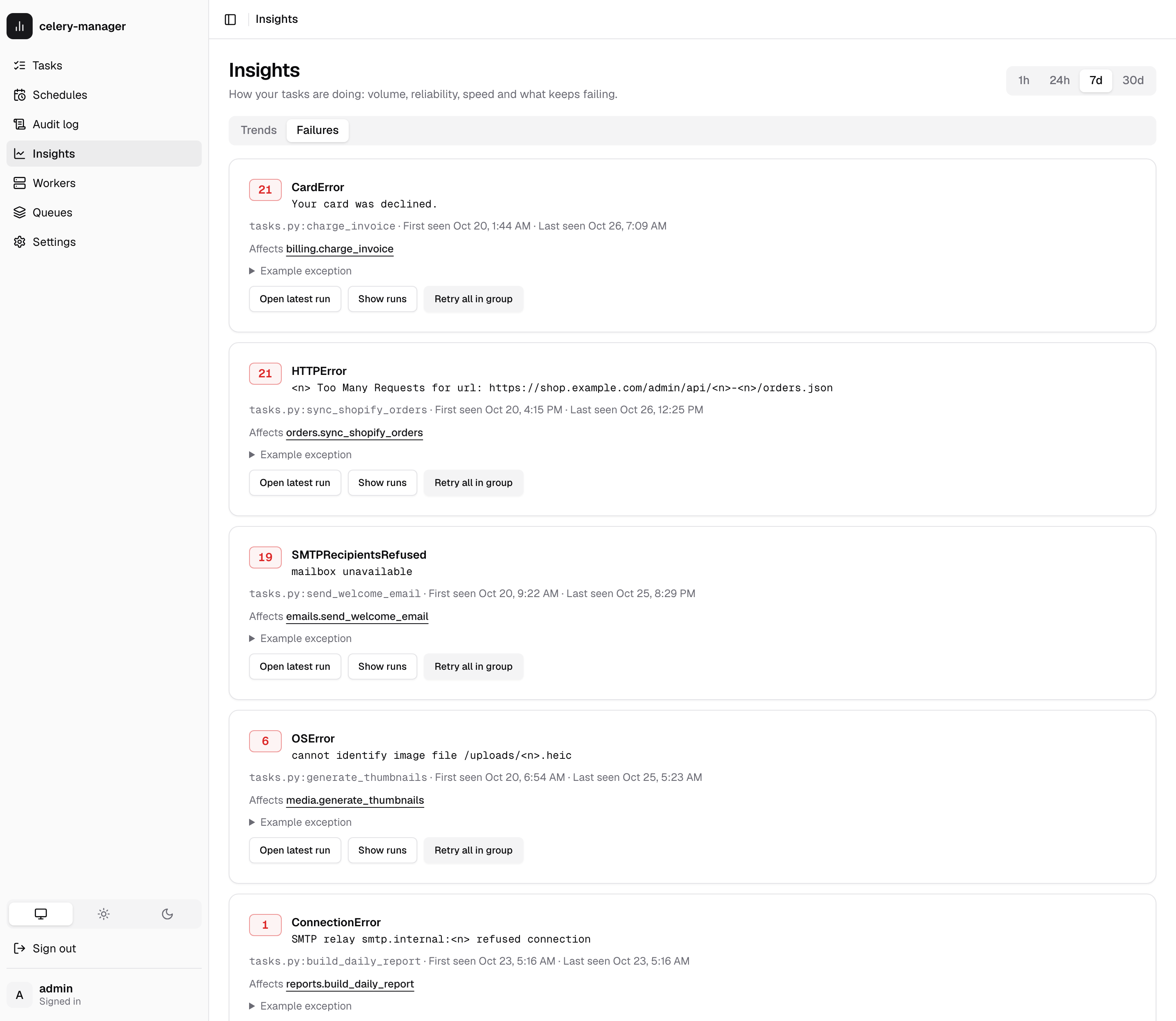
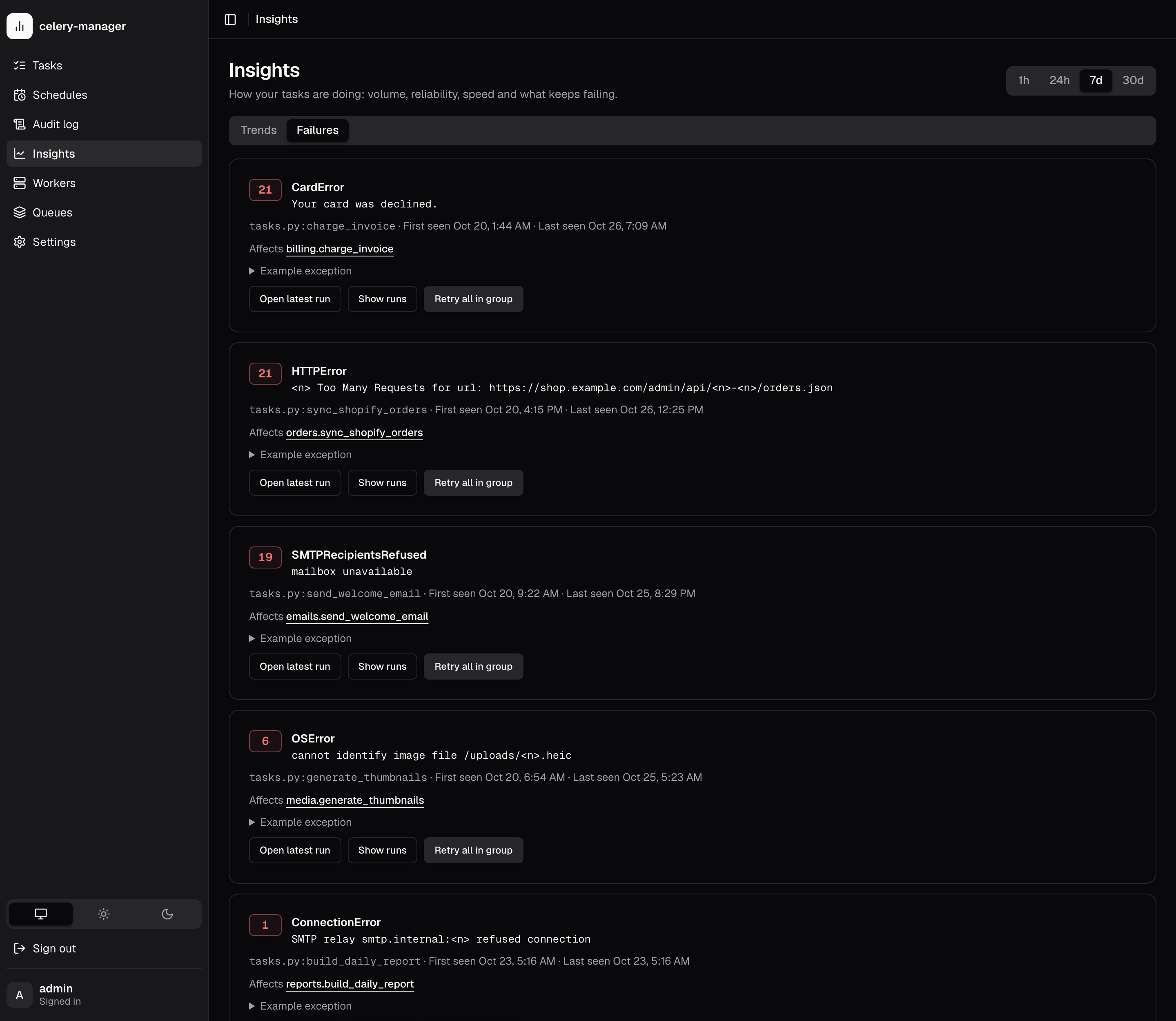
The Failures tab groups failed runs by signature: exception type, message
with volatile parts masked (numbers, UUIDs, hex ids, memory addresses, quoted
values) and the last traceback frame (file.py:function). So
ConnectionError('relay 10.0.0.1:587 refused') and ...10.0.0.2:25... fall
into one group. Groups are sorted by count and show first and last seen,
affected tasks and an example exception.
Actions per group:
- Open latest run opens the most recent failed run in the group.
- Show runs opens the task list on the Failed tab (and the task, when only one is affected).
- Retry all in group asks for confirmation showing the number of runs,
then retries them through
POST /api/tasks/retry-bulk, writing one audit row per run. A group retries at most its 100 most recent runs.
See REST API for the endpoints.